Microsoft Excel Basics - Creating a Sales Report
Last updated 10/2023
Created by Learnhoot Professional
MP4 | Video: h264, 1920x1080 | Audio: AAC, 44.1 KHz, 2 Ch
Level: Beginner | Genre: eLearning | Language: English + subtitle | Duration: 7 Lectures ( 45m ) | Size: 253.6 MB
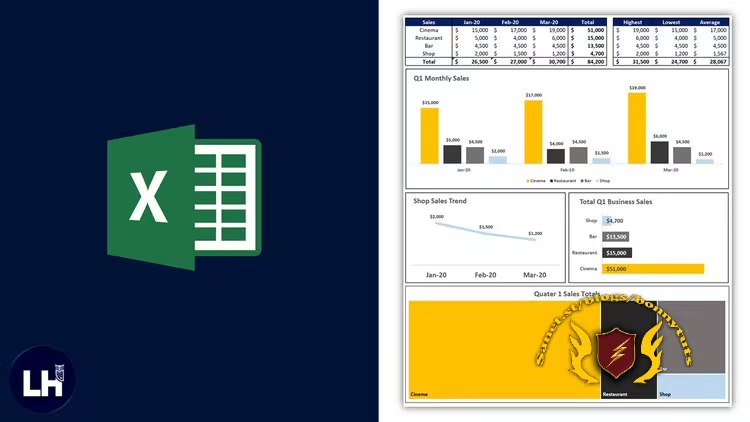
Learn how to create a great looking sales report in under an hour in this project based course!
What you'll learn
⚡ Designing a sales report
⚡ Basic data analysis
⚡ How to use Excel in the workplace
⚡ Formatting data
⚡ Absolute and relative cell references
⚡ Moving and amending data
⚡ Creating basic bar charts and line charts
⚡ Printing a worksheet
⚡ Basic functions, such as SUM, AVERAGE, MIN, MAX and COUNT
⚡ How to improve the design of charts and graphs so that they stand out
⚡ An overview of an Excel workbook
Requirements
❗ Have access to Microsoft Excel
DescriptionIf you frequently employ Microsoft Excel as a fundamental tool in your professional or personal life, then this simple to follow course is tailored to meet your precise requirements and aspirations.
This course is an immersive, hands-on, project-based experience that will take you on a comprehensive journey, structured to guide you through the entire process of creating a dynamic and visually captivating sales report within the Microsoft Excel environment. The objective here is to simulate a real-world professional scenario where you and your colleagues have just been handed the responsibility of producing a crucial sales report.
From the moment you take this course, you'll quickly realise that absolutely no prior familiarity with Microsoft Excel is required. We understand that our diverse audience may encompass beginners, intermediate users, and even those with some experience, which is why the curriculum will start with the fundamentals and then progressively elevate your skills to a level where you can confidently craft a visually appealing sales report.
This course takes you step by step through the Excel landscape, beginning with the very basics, such as navigation, data entry, and basic functions. As we delve deeper into the world of Excel, you'll progressively explore more advanced techniques, including data manipulation, formula creation, charting, and intricate formatting. Our objective is to provide you with a comprehensive skill set that enables you to present financial data in a visually compelling format, making your reports not only informative but also aesthetically pleasing.
By the time you complete this course, you will not only be proficient in using Excel but also feel self-assured in your capacity to transform dry financial data into a captivating, informative, and visually appealing sales report. Your newfound abilities will empower you to enhance your professional capabilities, making you a valuable asset in your workplace, and equipping you with a practical skillset that can be applied across various aspects of your personal and professional life.
Who this course is for
⭐ Beginner users of Microsoft Excel
⭐ You would like to improve your Excel skills in the workplace
Welcome to My Blog - Check it Every Days
If you have any troubles with downloading, PM me
Please Buy Premium Account from my links to get high download speed and support me
Happy Learning!!
Quick check before we show the links
Helps us keep automated scrapers from hammering the filehosts.