C++ Without Fear (Part 1)
This post was published 8 years ago. Download links are most likely obsolete. If that's the case, try asking the uploader to re-upload.
MP4 | Video:1280x720 | Duration: 6 hours | 7.2 GB
Genre: eLearning | Language: English
Overview
C++ Without Fear LiveLessons provides a gentle introduction to C++ for new programmers as well as people with experience in languages such as BASIC. The course helps the new programmer get up to speed as quickly as possible while understanding the C++ way of doing things.
Description
Brian first takes the new C++ programmer through the successful installation of Microsoft Visual Studio, Community Edition. Then, starting with the simplest C++ programs possible, he introduces the building blocks of programming as they are used in C++: variables, loops, control structures, strings, pointers, and then finally classes and objects. At each stage, he explains these concepts in simple, concrete terms and how they add immensely to the power of a program. Above all, by emphasizing the “C++ way” of doing things, he helps even the newest programmer start to quickly look like a C++ professional!
Skill Level
Primarily beginning and beginning-to-intermediate.
What You Will Learn
How to install and run C++ on Microsoft Visual Studio, Community Edition
New features of C++11 and C++14, such as ranged-based “for”
How to effectively use pointers, strings, vectors, and arrays
How to use C++ shortcuts, just like the pros
The “why’s” behind language features such as pointers, classes, and objects
Who Should Take This Course
People who are new to programming generally as well as people who know a language such as Java or Basic, but have (until now) found the prospect of C++ intimidating. Fear no longer!
Course Requirements
Familiarity with personal computers
Some familiarity with the most basic concepts in programming such as variables and programming environments‚ is helpful though not absolutely required
Lesson Descriptions
Lesson 1: Installing and Using C++. Introduces the new user to C++ gently and easily, showing the basic skeleton for simple three-line programs. The lesson first guides the user through installing Microsoft Visual Studio, Enterprise Edition, correctly setting the options so that the environment will work with simple plain-vanilla C++ programs.
Lesson 2: Making Decision and Looping. Shows the novice programmer how to start writing truly intelligent programs, by introducing the abilities to make decisions and do simple looping. Ends with a simple program that produces the classic Fibonacci series, one of the most interesting sequences in the history of mathematics.
Lesson 3: Understanding Arrays and Vectors. This lesson build on the power inherent in loops by adding the all-important array feature of C++, emphasizing how arrays enable you to create “N” of something‚ where N can be 1, 10, 1000, or a billion! After that, the lesson introduces the classic C++ “for” statement, as well as ranged-base “for” statement, and finally vectors. These are some of the most productive, useful features of the C++14 specification.
Lesson 4: Using C++ Functions. Guides the user through the essential steps of writing reliable, well-behaved C++ functions. This involves using the prototype feature, so that C++ functions can be defined in any order without creating a forward-reference problem. Above all, this lesson emphasizes why functions are the most important facility in any language for writing reusable code.
Lesson 5: Manipulating Strings. This lesson guides the user through the use of the C++ high-level string class, explaining why it is so much easier and more reliable to use than old-fashioned C-strings (which is doing things the hard way). But while the use of the high-level string class makes it easy to manipulate text, there are still some quirks involving input, which is why this lesson recommends–and illustrates–the use of line input, as the best technique.
Lesson 6: Pointers and References. This lesson answers the age-old questions all new C and C++ programmers ask: What are pointers and why the heck do you need them? The lesson first illustrates how pointers work in a simple way, using graphics‚ and then proceeds to show purely practical reasons for using pointers. Finally, the reference feature of C++ is discussed as a way to do some of the things you can do with pointers, but not all.
Lesson 7: Objects Part I: Simple Classes. Bearing in mind that C++ classes can become a complex and abstract subject quickly, this lesson sticks to exploring the most basic features of C++ classes and how they’re related to objects, in a one-to-many relationship. The benefits of the class/object system become more evident as this lesson shows the benefits of private function, encapsulation, and constructor functions ‚Äî emphasizing not just the fancy words but the practical benefits.
Lesson 8: Objects Part II: Trees and Nodes. This final lesson brings together many features, including pointers, the “new” operator, and the class/object design, to show how to create an extremely useful binary tree. In particular, the lesson explains how such classes can be made “bullet-proof” and super-reliable in a way that is not even possible without C++’s class and object syntax. In turn, this proves the real efficacy of Object Oriented Programming and how it can change your life as a programmer.
Table of Contents
Chapter: Introduction
C++ Without Fear: Introduction
Chapter: Lesson 1: Installing and Using C++
Learning objectives
1.1 All about C++
1.2 Install Microsoft Visual Studio
1.3 Create a simple project
1.4 Write a simple program
1.5 Use input and output
1.6 Add comments
Chapter: Lesson 2: Making Decisions and Looping
Learning objectives
2.1 Make a decision in C++
2.2 Use AND conditions
2.3 Count to 10 using while
2.4 Print Fibonacci numbers
2.5 Calculate Fibonacci ratios
Chapter: Lesson 3: Understanding Arrays and Vectors
Learning objectives
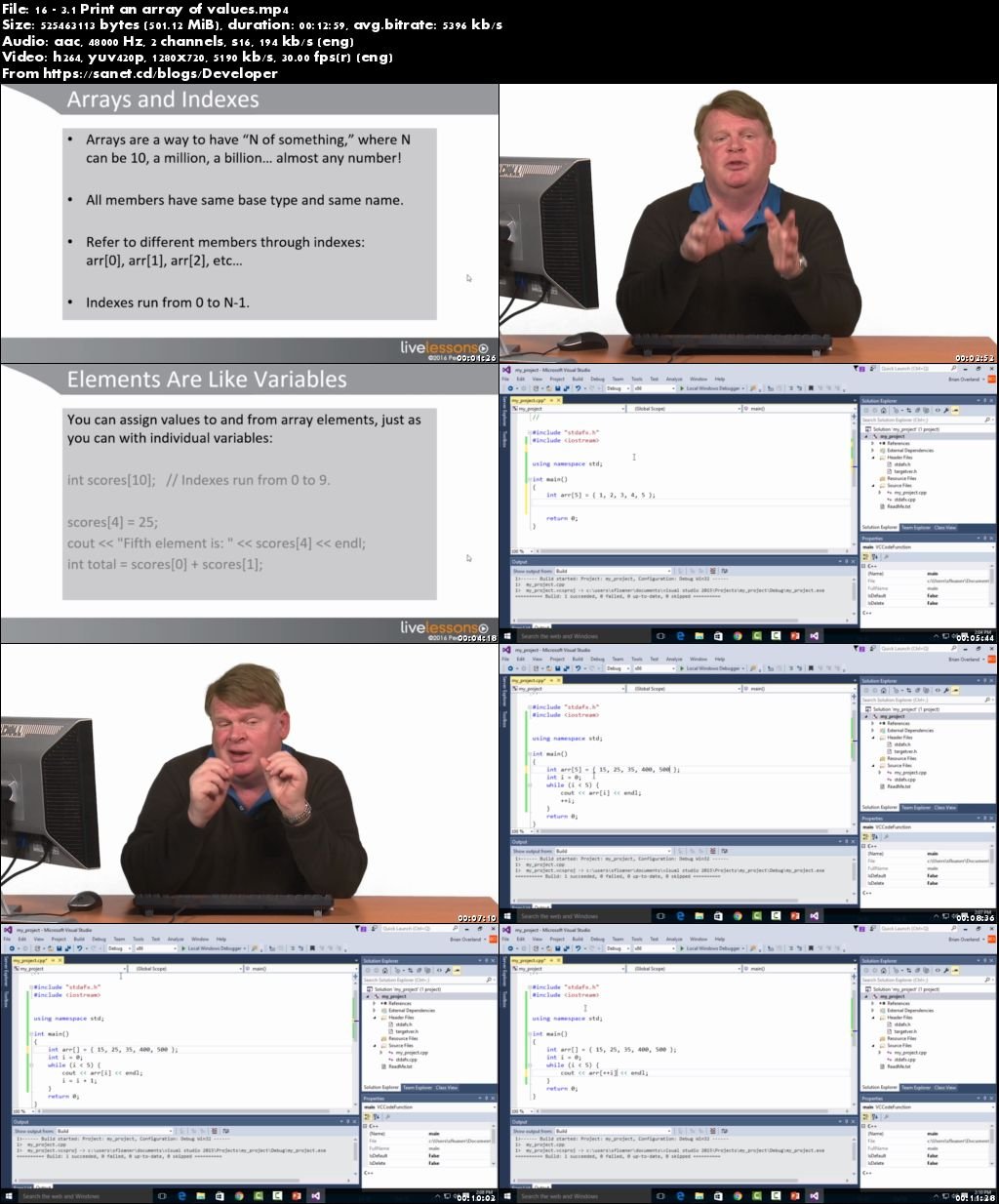
3.1 Print an array of values
3.2 Use classic “for”
3.3 Use range-based “for”
3.4 Use and understand vectors
Chapter: Lesson 4: Using C++ Functions
Learning objectives
4.1 Understand C++ functions
4.2 Write a simple function
4.3 . Pass an argument
4.4 Prototype functions
4.5 Use two arguments
Chapter: Lesson 5: Manipulating Strings
Learning objectives
5.1 Declare and use strings
5.2 Input a string
5.3 Get a line of input
5.4 Get a number using line input
Chapter: Lesson 6: Pointers and References
Learning objectives
6.1 What is a pointer?
6.2 Use a three-step process for pointers
6.3 Use a reference to alter argument values
6.4 Dynamically allocate an array
Chapter: Lesson 7: Objects Part I: Simple Classes
Learning objectives
7.1 Write a class to store data
7.2 Write and use the Point class
7.3 Write member functions
7.4 Write a constructor
7.5 Write a default constructor
Chapter: Lesson 8: Objects Part II: Trees and Nodes
Learning objectives
8.1 Create an object with “new”
8.2 Use the arrow operator (->)
8.3 Write a node class
8.4 Write a binary tree
8.5 Use the binary tree
Chapter: Summary
C++ Without Fear: Summary
Screenshots
Quick check before we show the links
Helps us keep automated scrapers from hammering the filehosts.