The Beginning Guide to Microsoft Word 2013
This post was published 10 years ago. Download links are most likely obsolete. If that's the case, try asking the uploader to re-upload.

The Beginning Guide to Microsoft Word 2013
MP4 | Video: h264, yuv420p, 1280x720Audio: aac, 44100 Hz, 2 channels, s16 | 316MB
Genre: eLearning | Language: English | Beginner level
If you wish to prepare for Microsoft Certification Exam 77-418:Microsoft Office Word 2013 OR Microsoft Certification Exam 77-425 Part 1 and 77-426 Part 2: Microsoft Office Word 2013 Expert, this course will help you build the skills and knowledge you need.
Step-by-step video demonstrations
Companion eBook with 245 pages of detailed instructions
Sample documents and images
Practice, Quizzes and Skill Test
With this comprehensive, performance-based certification preparation online program, you can build and validate your business computer skills using Microsoft Word 2013 software. You'll cover basic through advanced topics. Upon completion, you'll be prepared to earn your certification and gain an important edge in today's competitive job market.
In Beginning Microsoft Word, you will cover important topics, including how to:
Learn how to navigate online and submit assignments
Format Text and Paragraphs
Get skilled at working with Text and Pictures
Use the Quick Click options and the mini Toolbar to format Text
Gain experience editing images and shapes with the Picture Tools
Learn how to create and format SmartArt
Use Quick parts to create professional documents
The Microsoft Word 2013 Certification Training Program is part of the Microsoft Business Certification program: Microsoft Office Specialist (MOS). MOS certification is the globally recognized standard for validating expertise with the Microsoft Office 2013 suite. Students who wish to prepare for Microsoft Certification Exam 77-418:Microsoft Office Word 2013 OR Microsoft Certification Exam 77-425 Part 1 and 77-426 Part 2: Microsoft Office Word 2013 Expert will find beginning through advanced lessons that demonstrate these required MOS topics.
This course teaches the objectives for the following certification tests: Core Certification: Pass any 1 test: Word 2013 Core: Exam 77-418
Expert Certification: Pass either test: Word 2013 Expert Exam 77-425 Part 1 or 77-426 Part 2.
What are the requirements?
To enroll in the Microsoft Word 2013 program, you should have basic computer skills and should be comfortable using an Internet browser and selecting commands from a menu or toolbar. You should be able to manage files, including saving, updating, and backing up files.
This program can only be taken on a PC. It is not compatible with a Mac. It is compatible with Windows 7 and later operating systems and IE 7 and later browsers. You need a high-speed Internet connection and an e-mail account. You should also have Microsoft Word 2013 already installed.
What am I going to get from this course?
Over 7 lectures and 56 mins of content!
Learn how to navigate online and submit assignments
Format Text and Paragraphs
Get skilled at working with Text and Pictures
Use the Quick Click options and the mini Toolbar to format Text
Gain experience editing images and shapes with the Picture Tools
Learn how to create and format SmartArt
Use Quick parts to create professional documents
What is the target audience?
This program is for you if you’re an office worker, manager, entrepreneur, or other professional who wants to start using Beginning Microsoft Word immediately. This program is also suitable for you if you’re looking to learn about this software and expand your job possibilities
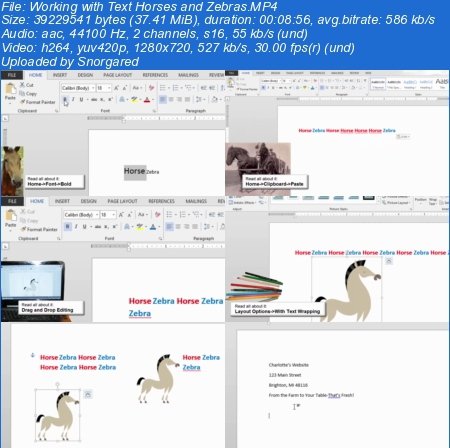
Screenshots
Screenshots

Password: sanet.me


http://www.nitroflare.com/view/9A13086BA5E155C/TheBeginningGuidetoMicrosoftWord2013_sanet.me.rar
.
.
.
~~~~ Welcome to my Blogs ~~~~
Do not forget to check it every day!
If You should find any files not found, please PM me

DownloadDownload: Software, Video Training

Ebook - Snorgared: Best Ebooks

Graphic World: Best Graphics

Android SAnet.me Collection Pack by Snorgared < Update Daily >