Portable TheAeroClock 5.25
This post was published 6 years ago. Download links are most likely obsolete. If that's the case, try asking the uploader to re-upload.
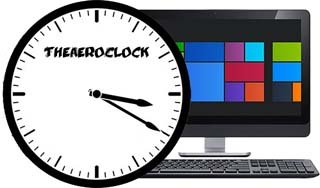
Portable TheAeroClock 5.25|Packed in VMware ThinApp|Windows(x86/x64)|rar|12.8 mb
The Aero Clock is a simple but at the same time beautiful desktop clock with alpha transparency and with different textures for individual needs and occasions.
Attention!
Dear users! We do not forget about our rights holders!
All portable assembly, designed exclusively for the promotion of the software and can be used for informational purposes only!
After testing the program and decide on the usefulness and necessity of you, this software - you are required! remove the assembly and turn to the developer, to purchase a license for a full version. Good luck!
Work on Windows 10 is POSSIBLE, BUT NOT GUARANTEED!
Release Notes
An analog clock for your desktop to show you what the time is, providing various customization options, such as adjusting transparency and size
This very decorative desktop clock shows the local time at the Desktop. The basic functions: total transparency, size, setting, and the selection of the Clock-texture or the appearance are available.
TheAeroClock is a lightweight app that places a clock directly on your desktop. It can be easily customized, even by inexperienced users.
This is a portable tool, so installing TheAeroClock is not necessary. It means that you can store it on a USB flash drive, save it to any computer and directly run its executable file.
More importantly, the Windows registry is not altered in any way and no leftover files can be found after program removal.
The interface of the tool is based on a standard clock in analog mode. It can be moved anywhere on the screen by using the mouse cursor but its position can be locked.
By clicking the app's icon in the system tray area, you can make several adjustments. Thus, you can specify the size, transparency level and image or texture (e.g. black-red, neon nature, snow white, blue-copper). Additionally, you can set TheAeroClock to stay on top of other applications and to automatically run at system startup, as well as disable the second hand and place the clock on the center of the screen.
The simple-to-use tool has a good response time and runs on a low amount of CPU and system memory. No error dialogs have been displayed in our tests and TheAeroClock did not freeze or crash. All in all, TheAeroClock is a nice app that can enhance your desktop. Thanks to its intuitive layout, it can be easily configured.
Key Features in the Aero Clock
Several clock-hands and dial textures (bitmaps)
Optional transparency
Optional seconds hand
Fixed at screen position
Custom position on the desktop
Customizable Size of the Desktop Clock
Other specification:
Optional translation feature
Portable
Multilingual
Low CPU and Resource usage
Release New
What's new in TheAeroClock 5.25:
Tests and verification for Windows 10 November 2019 Update Build 18362
Important update of the language files
Small fixes in The-Aero-Clock
Homepage
System Requirements
- Restrictions: It does not correspond to the tablet mode.
- CPU: Intel® Pentium 4 or later / AMD Athlon 64 or later (900 MHz or greater)
- (64bit support recommended)
- Memory: 4GB or more (Recommend 8GB or more)
- HDD: 10GB or more of free disk space
- Display: XGA (1,024x768), Full Color (24 bit or higher), 16-bit display (32-bit recommended)
Windows XP, Windows Vista all SP, Windows 7, Work on Windows 10 is POSSIBLE, BUT NOT GUARANTEED!
Language Multilanguage(Russian English)
Quick check before we show the links
Helps us keep automated scrapers from hammering the filehosts.