Portable Fast Move 2019
This post was published 6 years ago. Download links are most likely obsolete. If that's the case, try asking the uploader to re-upload.
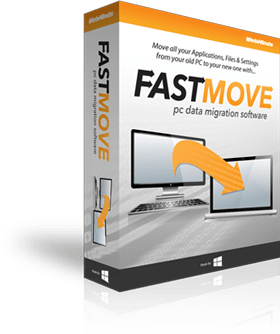
Portable Fast Move 2019|Packed in VMware ThinApp|Windows(x86/x64)|rar|37.4 mb
Move your files, folders, software, and settings to your new Windows computer with FastMove!
Attention!
Dear users! We do not forget about our rights holders!
All portable assembly, designed exclusively for the promotion of the software and can be used for informational purposes only!
After testing the program and decide on the usefulness and necessity of you, this software - you are required! remove the assembly and turn to the developer, to purchase a license for a full version. Good luck!
Work on Windows 10 is POSSIBLE, BUT NOT GUARANTEED!
Release Notes
Move Programs to Your New Computer
Installing all your software on your new computer takes a lot of time and effort. And what to do if you lost your license keys or own single-computer versions of expensive apps? FastMove lets you easily move programs installed on your old PC to your new machine, keeping all license information and settings intact. You can select which software to transfer and leave the rest to FastMove.
Transfer Data Between PCs in a Hassle-Free Way. Move your files, folders, software, and settings to your new Windows computer with FastMove!
Main Features
Fast and Lossless Data Migration for Windows PCs
Got a new computer and want to transfer all your files, folders, software and settings to it? While you can use a simple USB drive to move files between two computers, transferring all your settings, software and drivers without any data loss is a different matter. Whether you're moving data to a new computer or upgrading to an SSD, FastMove makes data migration fast, easy and reliable.
Move Programs to Your New Computer
Installing all your software on your new computer takes a lot of time and effort. And what to do if you lost your license keys or own single-computer versions of expensive apps? FastMove lets you easily move programs installed on your old PC to your new machine, keeping all license information and settings intact. You can select which software to transfer and leave the rest to FastMove.
Migrate User Accounts and Settings
When you start using a new computer, you may find that things don't work the way you like. To fix that, you could customize Windows settings from scratch or use FastMove to migrate all user accounts and settings from the old PC to the new one. This way you'll seamlessly transfer your user data, passwords, desktop settings, and more. Your setup will easily make its way to the new PC.
Transfer Device Drivers
FastMove takes the hassle out of installing drivers for your devices on your new Windows computer. Simply select the drivers you want to move and FastMove will do the rest. You'll be able to use all your devices out of the box without any driver conflicts whatsoever.
Release New
Move Your Custom Files and Favorites
With FastMove, you won't have to upload your files to the cloud or copy them to a USB drive to transfer them. All your custom files, folders, and even browser favorites will be moved to the new PC in one go. It's fast, efficient, and 100% reliable.
Keep Your Folders in Sync
If you have a feeling that you've lost track of your files and folders, FastMove's Sync Folders tool will put things right. With its help, you can sync and merge folders between PCs and locally. Simply select two locations, let FastMove scan them and find which files are different or missing from one location. You can then select the files you want to copy between the two folders.
Homepage
System Requirements
- Restrictions: It does not correspond to the tablet mode.
- CPU: Intel® Pentium 4 or later / AMD Athlon 64 or later (900 MHz or greater)
- (64bit support recommended)
- Memory: 4GB or more (Recommend 8GB or more)
- HDD: 10GB or more of free disk space
- Display: XGA (1,024x768), Full Color (24 bit or higher), 16-bit display (32-bit recommended)
Windows XP, Windows Vista all SP, Windows 7, Work on Windows 10 is POSSIBLE, BUT NOT GUARANTEED!
Language Multilanguage(Russian English)
Quick check before we show the links
Helps us keep automated scrapers from hammering the filehosts.