SysTools Google Apps Backup v3.0
This post was published 10 years ago. Download links are most likely obsolete. If that's the case, try asking the uploader to re-upload.
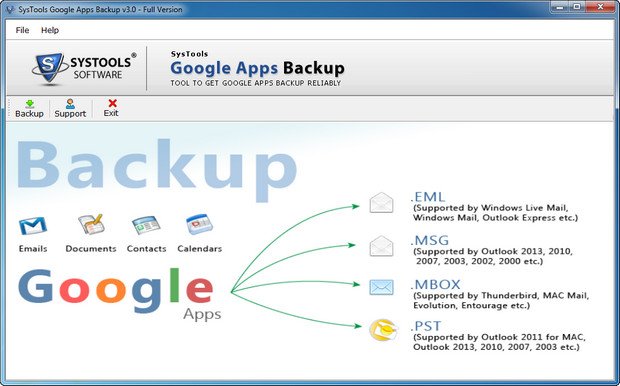
SysTools Google Apps Backup v3.0 | 17.9 MB
SysTools Google Apps Backup is a simple to use tool designed to help you backup important data from emails, contacts, documents and calendar entries. The application offers users the option of saving the backup emails in formats such as EML, PST and MBOX. The documents are copied in their original format without the risk of damaging data.
Highlighted Features of Google Apps Backup
Backup Google Apps account emails, contacts, calendars & documents
Take Backup in 2 ways: Single User & Domain User Backup
No Backup Data Size Limitation : Tested with 2 TB data
For the entire Domain Users backup, just need to fill admin credentials
Save Contacts as vCard, Calendars as .ics & Documents in latest formats
Download Specific Folder from Google Apps account
Valid Username & Password is required to backup Google Apps data
Smooth Internet Connection is required for Quick Backup
Key Features
Backup Complete Google Apps Data
Google Apps Backup tool allows you to download and save all the items of your Google Apps account like: emails, contacts, calendars and documents on your local machine. These items are saved in their respective and most commonly used file formats like .eml, .pst, .mbox, .vcf, .ics etc. All the formatting and associated meta properties like: To, From, Cc, Bcc, email address, house address, groups, calendar recurrences, meeting alerts, etc remain intact.
Backup Contacts & Calendars
Besides emails, you can also take the backup of all Google Apps account contacts and calendars. The backup is taken into their widely used formats that is; vCard (.vcf) and .ics respectively.
vCard: Supported by multiple applications like MS Outlook, Smart phones, iPhone etc.
ICS: Supported by various applications to save the calendars.
Backup Single or Domain Accounts
Google Apps Backup tool provides you two different methods to take data backup:
Single User Account Backup: In this case, you need to provide the user name & password of any individual user account to take backup.
Domain User Backup: You only need to provide Admin credentials to take the backup of all users accounts data of single domain
Show Backup Progress Report
Once you proceed to take backup of Google Apps data after configuring backup options; software shows complete progress status with fields like: User Name, email count, calendar count, contact count, document count and status. From this summary report; you can easily track the progress and speed of Google Apps data download.
Backup Emails with Time Interval
While taking backup of Google Apps emails, you can set a date range to download the data. This will allow you to save data ranging between a specific time interval. You need to provide a specific date range of "From" to "To" and software will download all the emails that reside in that particular time interval.
Backup Emails in 4 Formats
You can take the backup of Google Apps emails in 4 different formats:
EML: Importable in Windows Mail, Windows Live Mail, Outlook Express etc.
MSG: Convert emails in MSG format & easily import it in MS Outlook.
PST: Importable in MS Outlook 2013, 2010, 2007, 2003 of 32 bit or 64 bit version
MBOX: Importable in Apple Mail, Thunderbird, Entourage, Eudora etc.
If you open backed up email via any of the supported email client; it will show all the options like Reply, Reply All, Forward etc.
Backup & Save All Google Docs
You can save the last edited or latest revision of Google Apps documents like: spreadsheets, documents, presentations, drawing etc. into MS office compatible file formats. It will download Spreadsheets as .xls file, Documents as .doc, Presentations as .ppt, Drawings as .jpeg etc. The Google Apps Backup tool ensures to maintain the original formatting of each file and its content.
What's New in This Release
User are able to download contacts, documents, mails and calendars with multiuser download support.
User can utilize their bandwidth with the use of throttling option.
User can Pause or resume downloading process.
MSG Support