Registry Finder 2.7.0 + Portable (x86/x64)
This post was published 10 years ago. Download links are most likely obsolete. If that's the case, try asking the uploader to re-upload.
Registry Finder 2.7.0 + Portable (x86/x64) | 7.6 Mb
Starting with version 2.0 Registry Finder is not just a finder. It is a simple registry editor. It has basic facilities of the system RegEdit that is enough in most simple use-cases. Registry Finder allows you to browse the local registry; create, delete, rename keys and values; modify values as its natural data type (string, multistring, DWORD) or as a binary data. It is allowed to open multiple Registry windows. Next time you start Registry Finder, those windows will be reopened on the same keys as before.
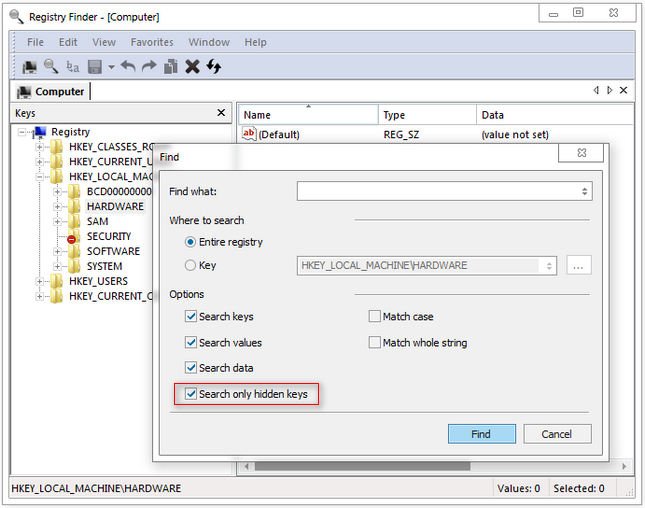
The Find operation is efficient and quick. All found items are displayed in a separate window as a list. Each line represents a single match with the search criteria. The icon shows where the match occurred: key name, value name or value data. Matched text is highlighted with red.
You can jump to any found item in the Registry window or edit/delete items right in the Find Results window.
Items in the Find Results window can be saved to file in comma separated values (CSV) or reg file format.
With the Replace feature you can easily replace all or particular occurrences of one string with another. The replacement is performed only in items that are in the Find Results window. In the Replace dialog you specify either all items or just selected ones. After replacement is done, items in the window are updated. If some item do not match the search criteria any more it still remains in the list.
All operations that alter the registry including deletion and replacement can be undone and redone. The operations are listed in the History window. To open it, click View|History in the main menu. The last performed operation is marked with a yellow arrow.
Current key path can be copied to clipboard.
Whats New
2.7 (December 02, 2015)
Reordered and grouped items in the View menu.
Find Results, the default command is changed from Modify to Go To.
Ability to lock toolbars.
Fixed possible fatal error undoing the import operation.
Fixed fatal error issuing Back/Forward commands from the Find Results window.
Fixed fatal error undoing Delete multiple items operation (that is deletion from the Find Results window).
Fixed possible fatal error on pressing the Browse button in the Find dialog if path in combobox ends with '\'.
Fixed errors during creation of keys in HKEY_CLASSES_ROOT.
Fixed the “The system cannot find the file specified. (2)” error after undoing a key deletion (the fix is not applied to operations created by previous versions).
Fixed highlighting of matches in the Find Results window on Windows XP.
Fixed highlighting of matches in binary data.
Fixed searching in binary data when data is ANSI-encoded.
When searching with the Search data option turned off, the Data column could contain garbage.
On Windows XP, the maximized state of the main window was not restored.
In Find Results, the icon for data-matches corresponds to the data type.
In Find Results, items containing the ampersand (&) was displayed incorrectly.
In Find Results, the View | Grid Lines command had no effect.
Right after the Find command, the keyboard focus is moved to the Find Results list.
In the Replace dialog, the Replace button gets disabled if both Find what and Replace with controls are blank.
In the Replace dialog, the Selected items option gets disabled if no items selected in the Find Results window.
Added sort markers in column headers in Find Results.
When a key selected in registry tree was renamed, the address bar did display new name.
Fixed the Save Selected command.
The file created by the Save command did not have .reg extension.
After restarting Registry Finder with two registry windows opened, the keyboard focus was in inactive window.
The Go To command did not always work.
Opening a favorite key did not always work.
Fixed loosing the undo history after all Local Registry windows are closed and Registry Finder is restarted.
Fixed hiding the address bar after closing all windows and restarting Registry Finder.
Fixed always-English tooltip text of tab Close button.
When there were multiple Local Registry windows, the Load Hive command caused the loaded key to be selected in all windows. Now, it is selected only in the active window.
Fixed “The system cannot find the file specified. (2)” error creating a value in a key right after the key was renamed.
If renaming in find results fails for a key or value, the whole operation continues for remaining keys/values. On completion, there is an ability to view failed operations.
Added an error message if failed to create the language dll.
HomePage