Cisco WLC 9800 Install Admin Config and Tshoot Fundamentals
This post was published 3 years ago. Download links are most likely obsolete. If that's the case, try asking the uploader to re-upload.
Updatedd 07/2022
Genre: eLearning | MP4 | Video: h264, 1280x720 | Audio: AAC, 44.1 KHz
Language: English | Size: 677 MB | Duration: 24 lectures • 1h 54m
Cisco WLC 9800 Install Administration and Configuration Fundamentals Labs For ENWLSI ENCOR CCNA Certifications 9800 CL
What you'll learn
WLC 9800 GUI
WLC 9800 Ethernet Port Configuration
How To Create A Location and Add A PSK WLAN on WLC 9800
How To Provision An AP on WLC 9800 and Connect With A Client
Requirements
You will need basic wireless knowledge
You will need to have the desire to learn more about the new Cisco Wireless Lan Controller via hands on labs
Description
Welcome to Cisco WLC 9800 Install Admin Configuration and Tshoot Fundamentals course. You will learn how to install, manage, configure and troubleshoot Cisco's latest Wireless Lan Controller 9800-CL.
First of all, we will learn how to download and install VMware Workstation Pro, after that we will go over the steps of how to install WLC 9800-CL and we will introduce ourselves with its GUI then we will learn how to configure WLC 9800 Ethernet Ports. After these introductory chapters, we will learn how to create a location and add a PSK WLAN on WLC 9800. We will continue learning to provision an AP on WLC 9800 and how to connect with a client. We will end this WLAN configuration section with adding a new WLAN with 802.1x Flexconnect options. Next section will start with location configuration and ap provisioning with different options and we will continue while creating policies and tags for flex location. AP switchport configuration and ssh configuration on APs will be the last part of this section. Next, we will focus on WLC configuration such as SNMP, managing via CLI and VLANs. After going over general configuration steps, we will deal with policies on our WLC. We will configure 802.1X policy tags and profiles and then we will create policy tags on APs. In the last sections, we will learn more about packet captures and troubleshooting steps. Configuring packet captures on our WLC and investigating those captures and traces will be our main goal. We will finish the course with two cases that are focusing on different troubleshooting steps on WLAN SSIDs.
VMware Workstation Pro
9800-CL Installation
WLC 9800 GUI Introduction
WLC 9800 Ethernet Port Configuration Overview
How To Create A Location and Add A PSK WLAN on WLC 9800
How To Provision An AP on WLC 9800 and Connect With A Client
How To Add A New WLAN With 8021X Flexconnect Options
Location Configuration and AP Provisioning
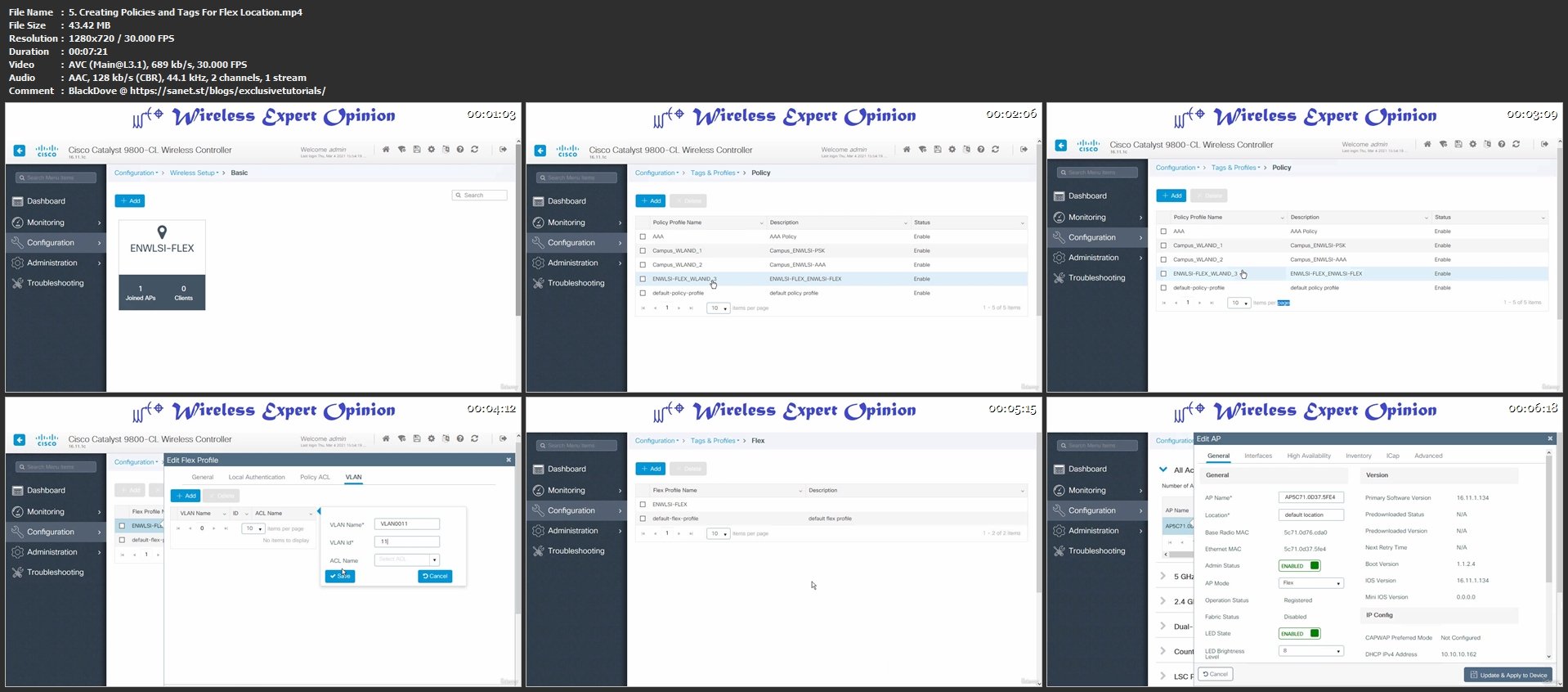
Creating Policies and Tags For Flex Location
AP Switchport Configuration and Configuring SSH on AP
Configuring SNMP on WLC
Command Line Interface on WLC 9800
Configuring VLANs on WLC
Configuring WLAN with 8021X Policy Tags and Profiles
Configuring Policy Tags on APs
Configuring WLC to Capture Packets
Configuring WLC to Capture Packets of AP Join Process
Configuring Radioactive Trace on WLC to Capture Client Authentication
Investigating Radioactive Trace Capture Output File
Investigating ISE Logs and Capture Output File
Troubleshooting WLAN SSID Connectivity Case 1
Troubleshooting WLAN SSID Connectivity Case 2
Thank You
Who this course is for
Network Engineers
Network Administrators
Wireless Network Engineers
Wireless Network Technicians
System Admins
System Technicians
Wireless Field Engineers
Screenshots
Homepage
Without You And Your Support We Can’t Continue
Please Buy Premium Account From My Links For Support
Click >>Here & Visit My Blog Daily For More Udemy Tutorial. if You Need Update or Links Dead Don't Wait Just PM Me or Leave Comment at This Post
Quick check before we show the links
Helps us keep automated scrapers from hammering the filehosts.