Illustrator: Animated Character Design
This post was published 7 years ago. Download links are most likely obsolete. If that's the case, try asking the uploader to re-upload.
2h 33m | Video: .MP4, 1280x720, 25 fps(r) | Audio: AAC, 44100 Hz, 2ch | 619 MB
Genre: eLearning | Language: English
This workshop from author and animator Angie Taylor teaches how to use Illustrator's tools and features to prepare 2D files for animation in Adobe After Effects. Discover how to make the most of Illustrator's drawing tools and Autotrace feature, and to how use Live Paint and Kuler to recolor artwork. Plus, get a ton of tips and tricks for giving artwork a hand-drawn look and find out how to set up layers, aspect ratios, and transparency options for importing into After Effects. The lessons are focused and solution-oriented, and all the project files are included.
Topics include:
Setting up the work area
Bringing artwork into Illustrator
Tracing artwork manually
Creating complex shapes
Working with paths
Using Live Trace
Coloring artwork
Applying 3D effects
Exporting artboards
Options for saving files
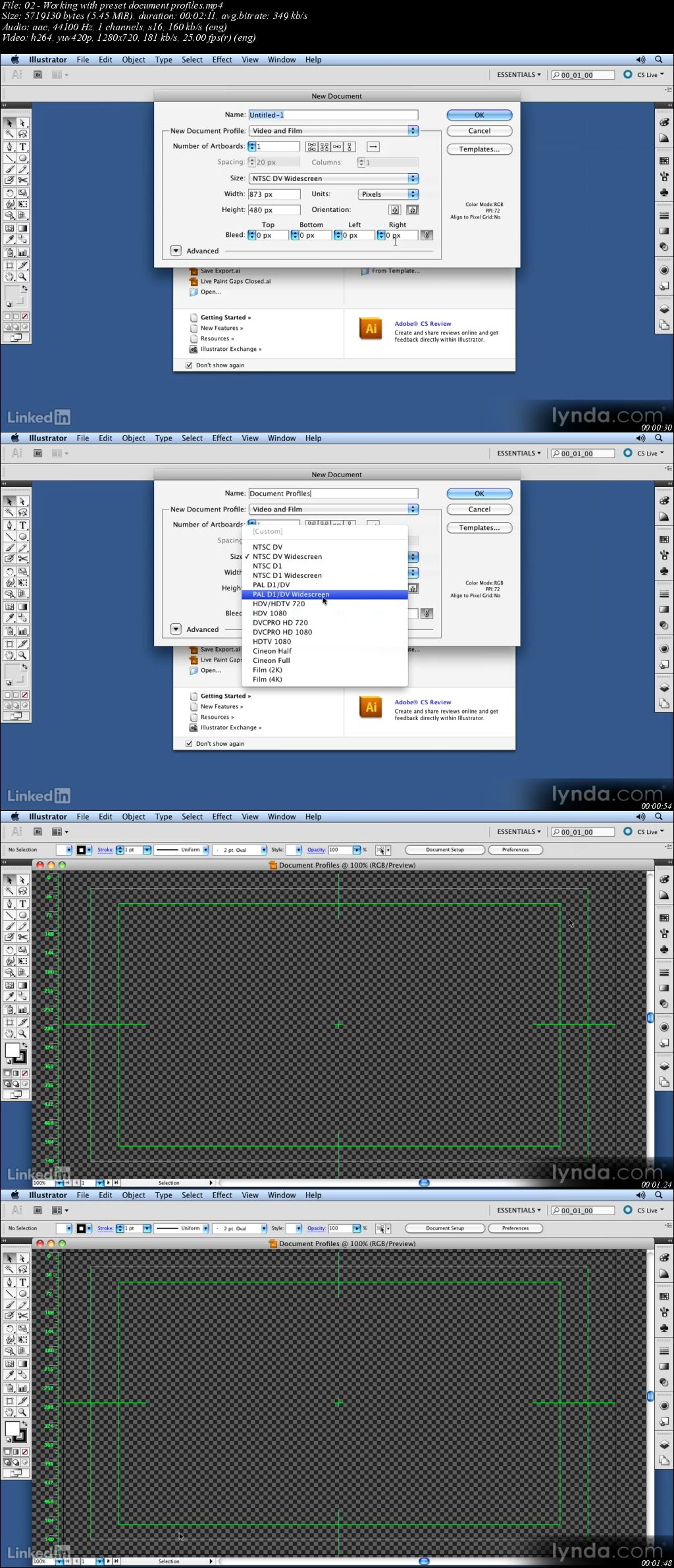
Screenshots
Quick check before we show the links
Helps us keep automated scrapers from hammering the filehosts.