Motion Design in After Effects: Character Animation & Coin Flip
This post was published 7 years ago. Download links are most likely obsolete. If that's the case, try asking the uploader to re-upload.
1h 23m | Video: .MP4, 1280x720, 30 fps(r) | Audio: AAC, 48000 Hz, 2ch | 1,53 Gb
Genre: eLearning | Language: English
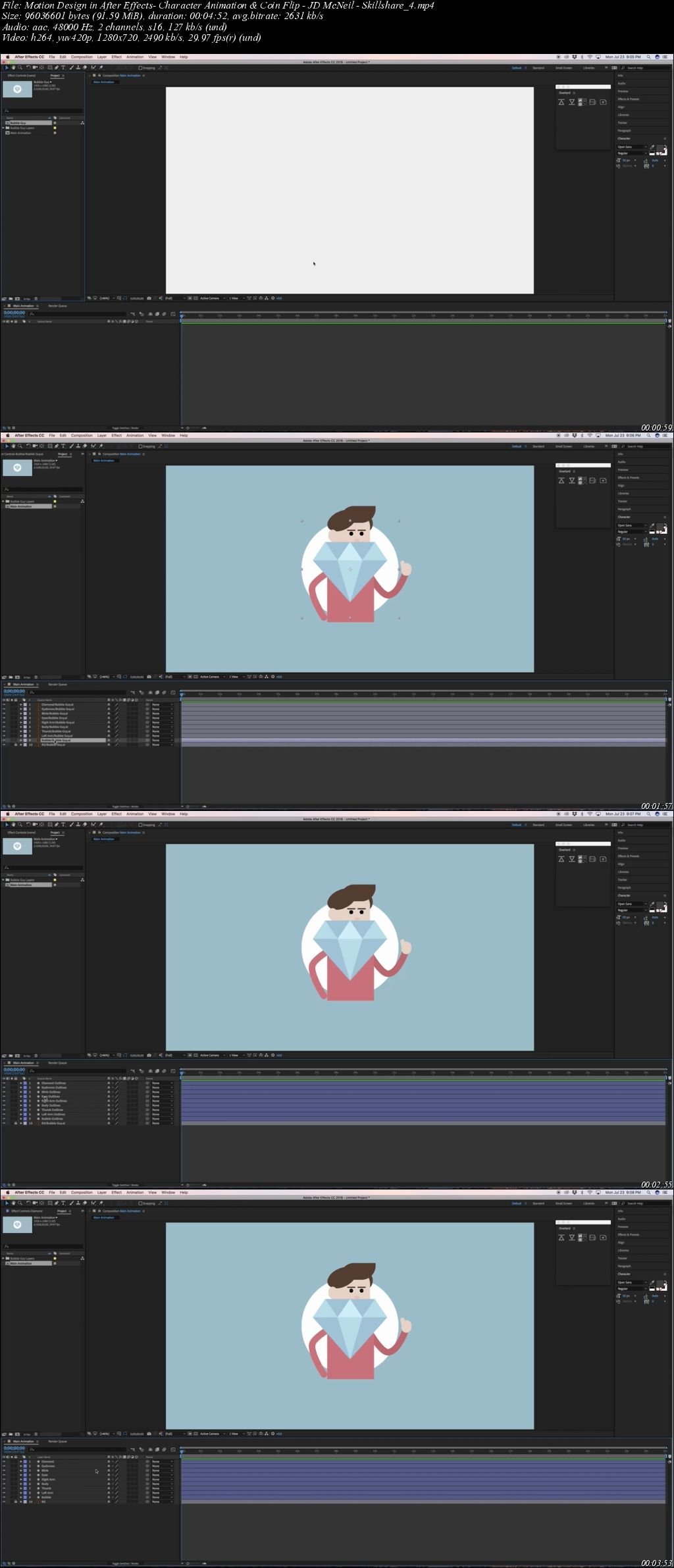
Do you know a little bit about After Effects? Well, whether you do or not this class is for you. This Skillshare class will take you through creating a character and diamond in illustrator, then prep it for animation, and finally animating it into a looping gif that you can use to share with your friends and family.
What You’ll Learn
Design in Illustrator: We will create a character and diamond in illustrator and prepare it for animation in after effects later.
Building in After Effects: I’ll show you how to take the design we made in Illustrator and import it into After Effects, and set up shape layers for animation.
Animating in After Effects: We will create and finalize a looping animation and render it.
Export an animated GIF in Photoshop: I’ll show you a simple process for getting your render from After Effects and turning it into a GIF so you can share it with the world.
Screenshots
Quick check before we show the links
Helps us keep automated scrapers from hammering the filehosts.