Portable PC Activity Viewer 1.7.8.10
This post was published 5 years ago. Download links are most likely obsolete. If that's the case, try asking the uploader to re-upload.
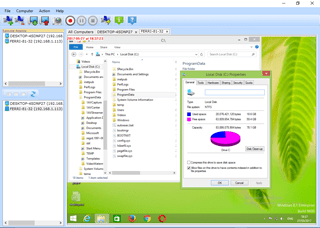
Portable PC Activity Viewer 1.7.8.10|Packed in VMware ThinApp|Windows(x86/x64)|rar|10.4 mb
PC Activity Viewer gives you live video from all PC clients in one scalable panel.
Attention!
Dear users! We do not forget about our rights holders!
All portable assembly, designed exclusively for the promotion of the software and can be used for informational purposes only!
After testing the program and decide on the usefulness and necessity of you, this software - you are required! remove the assembly and turn to the developer, to purchase a license for a full version. Good luck!
Work on Windows 10 is POSSIBLE, BUT NOT GUARANTEED!
Release Notes
The program supports direct IP connections. PC Activity Viewer enables you to run a wide range of tasks on the monitored computers as well. You can install one or more servers and unlimited clients.
Having multiple computers connected to a network, especially in a workplace requires various security measures, some of which might just mean literally keeping an eye on a particular machine. This can be just as well done from a distance with the help of specialized applications like PC Activity Viewer.
Connect to one or more network computers
Since this is an application designed to monitor multiple computers in a particular network, it’s a good idea to install it on an administrator PC. additionally, you might want to make sure the target PC is fitted with .NET Framework, although it’s usually delivered in the default set of features with modern Windows iterations.
As far as the interface is concerned, the application makes it quite easy for individuals of all levels of experience to get the hang of things. You find a side panel split into a couple of section, one of them displaying all detected network items, while the other display active connections. Tab support makes it easy to monitor multiple computers.
By default, the application does a pretty good job at detecting and displaying network computers, with the possibility to refresh if you consider otherwise. Connecting to a PC requires you to provide the necessary credentials to gain access to the admin shared folder.
Manually connect, record activity, and issue commands
There’s also a second way to connect to a computer, which makes it possible to reach even if not on the same network. Inside the installation directory of the application you find the necessary installer for the agent which can be installed on one or more remote PCs so that they become accessible by the application without any credentials.
Once connected, a small preview appears for the computer, including an updating thumbnail of the desktop. You can access a full view of the desktop in a new tab, and this can be done for multiple PCs.
Although you gain viewing capabilities without full control over the computer, there are some management options. There’s the possibility to trigger any of the computer’s power options, take a screenshot, record activity, but also issue a Run command or open a website in the default browser.
In conclusion
To sum it up, PC Activity Viewer comes as an intuitive application with which to keep network computers under control. You can set up a connection to a different computer by manually installing the agent, and commands from a distance with little effort.
Release New
Changelog
First commercial release.
Homepage
System Requirements
Intel 1.3GHz
120MB HD
256MB RAM
Windows 7, 8, 8.1, and 10. 32 and 64 bits.
Minimum screen resolution of 800x600
Microsoft .Net Framework 4.5
Language English
Quick check before we show the links
Helps us keep automated scrapers from hammering the filehosts.