Portable Microsoft Image Composite Editor 2.0.3
This post was published 6 years ago. Download links are most likely obsolete. If that's the case, try asking the uploader to re-upload.
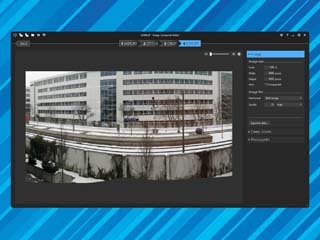
Portable Microsoft Image Composite Editor 2.0.3|Packed in VMware ThinApp|Windows(x86/x64)|rar|43.4 mb
Image Composite Editor (ICE) is an advanced panoramic image stitcher created by the Microsoft Research Computational Photography Group.
Attention!
Dear users! We do not forget about our rights holders!
All portable assembly, designed exclusively for the promotion of the software and can be used for informational purposes only!
After testing the program and decide on the usefulness and necessity of you, this software - you are required! remove the assembly and turn to the developer, to purchase a license for a full version. Good luck!
Work on Windows 10 is POSSIBLE, BUT NOT GUARANTEED!
Release Notes
Given a set of overlapping photographs of a scene shot from a single camera location, the app creates high-resolution panoramas that seamlessly combine original images. ICE can also create panoramas from a panning video, including stop-motion action overlaid on the background. Finished panoramas can be saved in a wide variety of image formats, including JPEG, TIFF, and Photoshop’s PSD/PSB format, as well as the multiresolution tiled format used by HD View and Deep Zoom
Features
Automatic image completion
Redesigned user interface and workflow
Full-resolution preview
Additional features
• Accelerated stitching on multiple CPU cores.
• Support for “structured panoramas” — panoramas consisting of hundreds of photos taken in a rectangular grid of rows and columns (usually by robotic devices such as GigaPan tripod heads).
• State-of-the-art stitching engine.
• Support for very large image sizes including stitching gigapixel panoramas.
• Support for input images with 8 or 16 bits per component.
• Support for Photoshop layers and large documents.
• Ability to read raw images using WIC codecs.
• Automatic exposure blending.
• Choice of planar, cylindrical, stereographic, orthographic, Mercator, or spherical projection.
• Orientation tool for adjusting panorama rotation.
• Automatic cropping to maximum image area.
• Native support for 64-bit operating systems.
• Wide range of output formats, including JPEG, JPEG XR, PSD, TIFF, BMP, PNG, and Silverlight Deep Zoom.
Release New
What's new
Improved support for multi-threading.
Supports 16-bit color depth at the inlet and outlet.
A special template for the panorama series is removed, optimizes training gigapikcelnyh panoramas and accelerates the prior result.
Export panoramas Photosynth website.
Homepage
System Requirements
- Restrictions: It does not correspond to the tablet mode.
- CPU: Intel® Pentium 4 or later / AMD Athlon 64 or later (900 MHz or greater)
- (64bit support recommended)
- Memory: 4GB or more (Recommend 8GB or more)
- HDD: 10GB or more of free disk space
- Display: XGA (1,024x768), Full Color (24 bit or higher), 16-bit display (32-bit recommended)
Windows XP, Windows Vista all SP, Windows 7, Work on Windows 10 is POSSIBLE, BUT NOT GUARANTEED!
Language Multilanguage(Russian English)
Quick check before we show the links
Helps us keep automated scrapers from hammering the filehosts.