GoodSync Enterprise v10.4.3.3 Multilingual
This post was published 9 years ago. Download links are most likely obsolete. If that's the case, try asking the uploader to re-upload.

File size: 27 MB
GoodSync is an easy and reliable file backup and file synchronization software. It automatically analyzes, synchronizes, and backs up your emails, precious family photos, contacts, MP3s, financial documents, and other important files locally - between desktops, laptops, servers, external drives, and Windows Mobile devices, as well as remotely through FTP , SFTP, WebDAV, and more. GoodSync file synchronization software combines bulletproof reliability with an extremely easy to use interface to compare, synchronize, and backup your emails, contacts, photos, iTunes, MP3s, and other important files. Automatically synchronize and back up your important files between desktops, laptops, servers, and external drives over a network or the Internet. Using an innovative synchronization algorithm - GoodSync file sync software is years ahead of the pack when it comes to file synchronization.
Key features
• bidirectional synchronization to prevent data loss
• unidirectional synchronization for backup
• Synchronize folders, not only Windows, but also FTP, WebDAV, SFTP
• Synchronization with smartphones and PDAs to the Windows platform
• Selective File Synchronization
• Flexible and Easy Sync Automation
Other features include
• Monitoring the file system is not required
• Syncing multiple devices, providing maximum comfort
• Synchronize FTP file modification time
• Translation of the modification time of files for non-Preserving File Systems
• Easily synchronize only the modification time of files
• Real-time monitoring
• Visualization of changes
• Ease and flexibility of display
• Task tab, make it easier to work with several tasks
• Counters size for each level
• Dialogue to facilitate the selection of synchronized folders
• Identification of required free space
• Reports on actions and changes
• Tags jobs to removable drives
• Backing up the network over an encrypted channel.
Screenshots
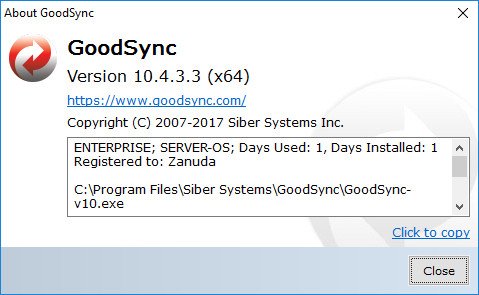
Release Notes
* SharePoint 2013: new file system, added to sync with legacy SharePoint 2013 servers.
* Google Drive: Cache bootstrap and changes pull: start over on backend errors.
* Limit Changes option: Make it work for 1-way jobs too, but set default value to 100 pct.
* GSTP speed: increase it a lot, by turning off compression and optimizing code.
* Upload to Control Center: upload folder list too, other major fixes.
* Account Manager: fix URL of the root folder of the server may be wrong, affects CC Runner.
* Folder Options in Server Account: make lookup case-insensitive by folder URL.
* Control Center Runner: do not detect fake changes, produced by synclib turning options off.
* Control Center Runner: Make received Program Options effective, for Proxy and SMTP.
* Fix Cleanup of History could delete non-empty folder, because its creation time was Null.
* Cleanup of Local Temp Files: make it faster and more accurate.
* Add latest changes in options to global command line switches.
* Update PL localization and JP license.
Homepage
Quick check before we show the links
Helps us keep automated scrapers from hammering the filehosts.