Greenfish Icon Editor Pro 3.6 Multilingual + Portable
This post was published 9 years ago. Download links are most likely obsolete. If that's the case, try asking the uploader to re-upload.
File size: 10.72 MB
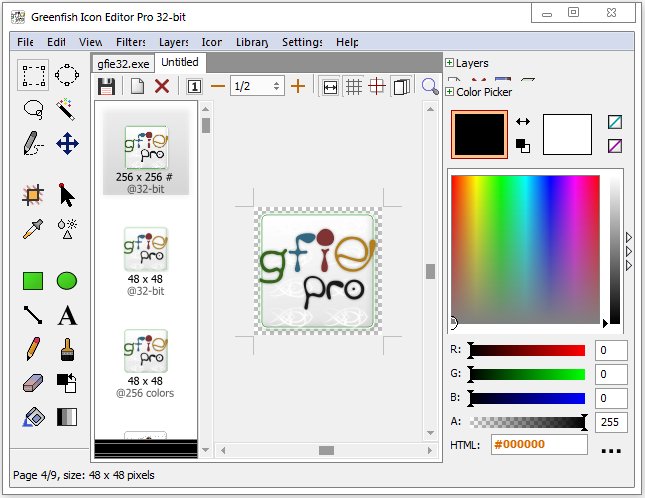
Despite its name, Greenfish Icon Editor Pro is not a tool that you can use just for editing icons, as it can also create animated or static cursors, small pixel graphic images and manage icon libraries. This full-featured application can be used for extracting icons and cursors from executable files or converting image formats.
The interface is compact and well-organized, providing you with easy access to all the features, thus the application doesn't pose any problems, even to beginner users. Each time you run it, you are welcomed by the startup screen, where you have to choose the type of item you want to create.
Layer support, together with the collection of editing tools make it a great tool for handling pixel-graphic images. It comes with advanced selection handling (lasso and magic wand tools, marquee, saving/loading selections from files) and a collection of filters (invert, solarize, blur, sharpen, remove matte, bevel, glow etc.) that allows you to enhance your pictures.
In addition to this, the application comes with anti-aliasing capability, a PNG compression tool (which you can use to create Vista compatible icons), and provides you with various gradient styles for filling shapes. It supports common graphic formats, such as ICO, GIF, CUR, PNG, XPM, BMP or JPEG. The conversion tool enables you to easily migrate between different graphic formats and even create animated cursors.
Besides basic editing functions (cut, copy, paste, flip, rotate), you can also transform selections and crop transparent parts. To make your work easier when designing pixel-graphic images, you can apply a grid to your images.
Combining ease of use with advanced editing features, Greenfish Icon Editor Pro is a great tool for designing icons up to 256x256 pixels, managing icon libraries, as well as editing and testing animated cursors.
FEATURES
• Opening and saving in ICO, CUR, PNG, XPM, BMP and JPEG formats
• Creating icons up to 256x256 @ 32-bit
• Creating Vista(tm)-compatible, PNG compressed icons
• Sophisticated selecting tools like marquee, lasso and magic wand, as in a professional photo editor
• Creating and testing cursors
• Extracting icons and cursors from executable files
• Dynamic color depth: you do not have to specify it explicitly, Greenfish Icon Editor will determine it for you.
• Drawing lots of kinds of gradients
• Lots of filters including Hue shift, Remove matte and Drop shadow
• Sample icons are included
Release Notes
• New: Linux support
• New: Load/Save WebP
• New: Load/Save Portable AnyMap
• New: Load/Save TGA (Targa) files
• New: Contrast adjustment in Exposure dialog
• Improved: RGB Formulae (alpha adjustment, new operations)
Homepage
Quick check before we show the links
Helps us keep automated scrapers from hammering the filehosts.