SSE Setup 8.2 portable
This post was published 9 years ago. Download links are most likely obsolete. If that's the case, try asking the uploader to re-upload.
File Size : 17.9 Mb
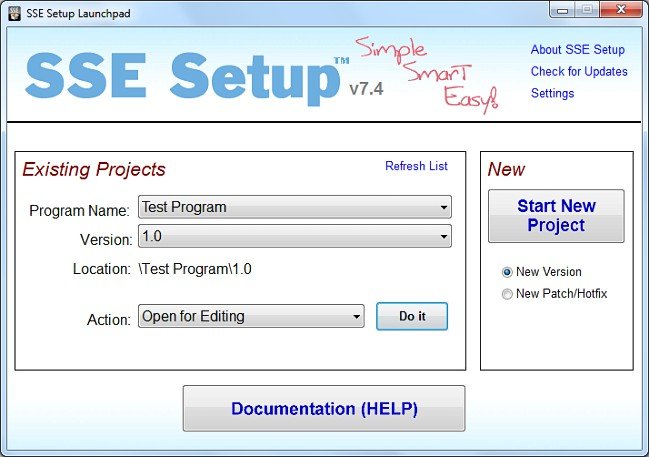
SSE Setup is an easy-to-use and intuitive software that will help developers build their programs.You can create a good looking installer/uninstaller for your program in literally only a few minutes. Unlike other programs, it does NOT use a complicated scripting language that you have to learn.SSE Setup is a freeware Windows installation creator that is easy, full-featured & mature.
Key features
Installers can run on Windows 8.1 all the way down to Windows 95 (you choose OS's)
Installs both 32-bit and 64-bit programs
NOT some complicated scripting language! (unlike many other installers)
Create a fully functional installer in minutes (NOT days!)
Handles the most common things automatically
Creates small, efficient .EXE's or .ZIP's, or burns to CD/DVD
Non-Admin (Limited/Standard user) install support
Very UAC friendly on Vista and greater
Can legitimately provide a way for your program to avoid UAC elevation prompts if it needs Elevated Admin privileges on Admin accounts
Upgrade and patch support for installed programs
Integrated Internet Updater solution that can download & install needed updates
Prerequisites checks to look for needed hardware / OS's / software; can download needed software (runtimes)
For .NET installs, easy framework download if user needs
For Access developers: Easy Access database deployment
Built-in Language support for 12 of the world's most-used (multilanguage)
Customizable GUI and 7 presets to choose from
Recognizable design ensures great end-user experience
Ability to digitally sign installer/uninstaller/your program's files
Display license agreement
Install files & shortcuts; modify registry
Automatic DLL/OCX registration if needed
Automatic removal of everything installed during uninstall
Run external programs during install/uninstall
Show welcome screen or custom messages
Play audio files
Associate filetypes with your software
Create/Run/Delete Task Scheduler Tasks
Modify security permissions (ACL) on files/folders/registry
Modify user or group privileges/rights
Automatic system restore point creation
Replaces "in use" system files
Detailed LOG file generation
Much more!
Whats New
Version 8.2
- Bug Fix: Some 8.x non-admin installs under fairly rare circumstances where non-admins were allowed to install as themselves may have incorrectly failed on install start declaring that an administrator was needed when that was not actually the case.
- Bug Fix: The Internet Updater may have hung checking for updates in v8.x when no updates had been specified and the IUI file was created in 7.x or earlier.
- Bug Fix: Specifying the <PROGRAMFOLDER> built-in folder keyword as an argument to a shortcut/link though declared fixed in v8.0 still would not have worked.
- Bug Fix: Access-related installs that were created with the "MS Access (with command-line) Default" template setting would not have worked correctly.
- Bug Fix: Access-related installs that were created with the "MS Access (with command-line) Default" template setting or that specified to use the "MS Access / Runtime" folder may have returned an incorrect Access folder.
- Bug Fix: Using <FUNCTION:DATE> would have produced an Error 13.
- New Change: Faster installs when installing large files from an EXE distribution.
- New Change: Faster upgrades when upgrading existing files.
- New Change: Added the Windows 10 Version 1703 (Creators Update) as a new known OS version to allow blocking install on.
- New Change: Updated Access Deployment Guide to address split databases.
- New Change (Launchpad): Checking for critical (high importance) updates to SSE Setup is always enabled by default and any existing setting has been reset.
Homepage
Quick check before we show the links
Helps us keep automated scrapers from hammering the filehosts.