DC++ 0.865
This post was published 9 years ago. Download links are most likely obsolete. If that's the case, try asking the uploader to re-upload.
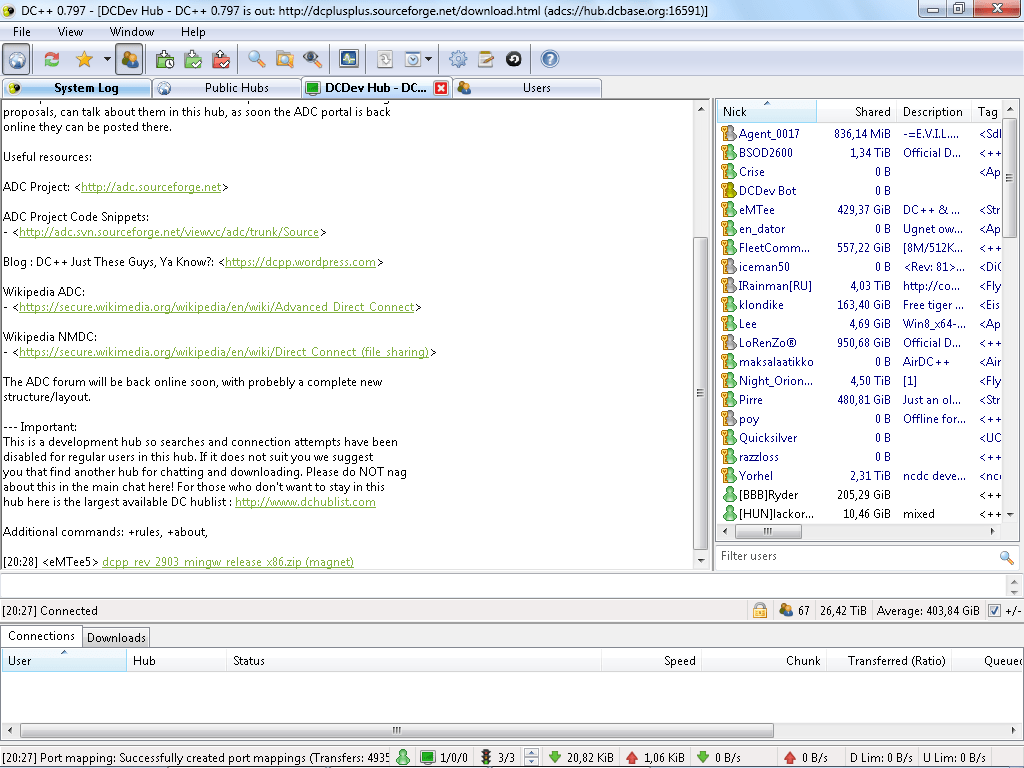
Windows Sofware | DC++ 0.865 | 88Mb
The client can be downloaded, precompiled and ready to run. DC++ runs on any recent Windows version (Vista SP2, 7 SP1, 8, 8.1 and 10) as well as under Wine.
If you have experience in C++ programming, the source code for DC++ is also available. To compile DC++, you will need either the tools from MinGW or Microsoft Visual Studio. Refer to the compiling guide for more information.
DC++ is distributed with language files included. By default it will use the language specified in Windows locale settings. You can change it in Settings > Appearance > Language. Found errors or omissions in DC++'s interface of your native? You can help translating DC++ to your own language using our web-based translating interface.
What's New:: Notable changes in DC++ 0.865
DC++ 0.865 comes over a year after DC++ 0.851; it contains a flurry
of improvements and updates the various libraries used by the
program, leading to more stability and security.
Notable improvements:
- Better Windows 10 compatibility.
- Download queue toolbar.
- Better IPv6 connectivity.
- More favorite hub settings.
- Chat box improvements.
- Hub connectivity status icons.
- Hardened connection security.
Download:-
Download from (Uploaded)
http://ul.to/abjbcy9o
Download from (Turbobit)
http://turbobit.net/1k4t4jdq352n.html
Download from (Nitroflare)
http://nitroflare.com/view/49A9D2DE4FA6AD0/Softarchive.la_DCPlusPlus-0.865.rar