Defraggler 2.21.993 DC 25.08.2016 Professional / Business / Technician Multilingual
This post was published 9 years ago. Download links are most likely obsolete. If that's the case, try asking the uploader to re-upload.
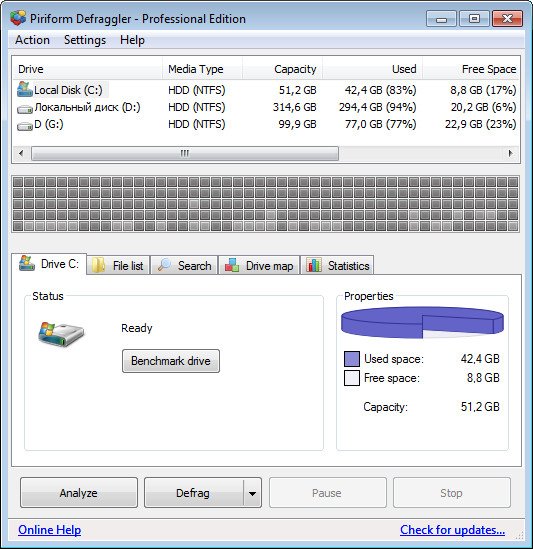
Defraggler 2.21.993 DC 25.08.2016 Professional / Business / Technician Multilingual | 4.88 MB
Defraggler! It differs from other defrag tools on the market, by enabling you to quickly and simply defrag the files you want to, without having to process the whole drive. Simply run it, select the file and defragment in seconds. No more struggling with the Windows defragmentation tool! And remember like all Piriform products, Defraggler is completely free for both corporate and individual use.
Defrag Individual Files or Drives
Most defrag tools only allow you to defrag an entire drive. Defraggler lets you specify one or more files, folders, or the whole drive to defragment. Pick the trouble spots on your hard drive – like your favorite videos, your business software, or your Web browser.
Interactive drive map
At a glance, you can see how defragmented your hard drive is. Defraggler’s drive map shows you blocks that are empty, not fragmented, or needing defragmentation. To see the files on an area of your hard drive, click the colored block. Or, view all of the files on your hard drive sorted by size, path, or number of fragments. Want to save the list for later? Defraggler has a report option which lets you save lists of all or some files to a text log.
Defragment free space
Most defrag tools only defrag files on a drive. Defraggler goes one step further and defragments the free space, too. If your free space is defragmented and all chopped up, new files written to that space will end up defragmented right away. Defraggler can defragment free space so new files are automatically all in one place, making your hard drive run faster and Windows work more effectively.
Move large files to end of drive
Hard drives are fastest at the beginning of the drive and slowest at the end. If the files you use most often are at the beginning, your PC will run faster. You can tell Defraggler to put your large files (such as archives, videos, or backups) at the end of the drive and it will automatically put the smaller, often-used ones at the front. The result? More efficient use of hard drive space and faster computing.
Defragging in the background
Don’t waste precious time. Defraggler runs in the background so you can continue to work, play, and have fun. It’s small and uses few system resources, so you won’t experience any slowdowns in the process.
Scheduled defragmentation
Defragment while you sleep – and wake up with a faster PC. Set Defraggler to run daily, weekly, or monthly and be assured that it’s keeping your hard drive speedier, more reliable, and more efficient.
Multi-language support
No matter what your native tongue is, Defraggler speaks your language. It currently supports 37 all major languages, including English.
New v2.21.993
- Improved Analysis and Defrag performance.
- Improved memory usage and management architecture.
- Optimized 64-bit builds on Windows 8 and 10.
- Improved update checking process.
- Updated exception handling and reporting.
- Improved localization and language support.
- Minor GUI improvements.
- Minor bug fixes.

