Screenpresso Pro 1.6.2.16 Beta Multilanguage
This post was published 10 years ago. Download links are most likely obsolete. If that's the case, try asking the uploader to re-upload.
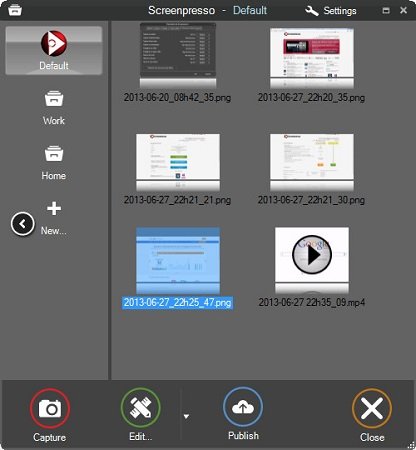
Screenpresso Pro 1.6.2.16 Beta Multilanguage | 6.33 Mb
Screenpresso Pro - an easy-to-use tool for creating screenshots with built-in image editor and the ability to store the created image on the Internet. With this program you can take pictures of the entire screen, part of it, a specific window (including scrolling), as well as to capture high-resolution video, while maintaining formats MP4, WebM, WMV, OGG or export in HTML5.
Built-in editor allows you to crop the image, add drop shadows, rounded corners, reflection, text and more. Ready screenshots can be sent to Twitter, Facebook, G-Mail, Evernote, Flickr or FTP-server, and send the video to the service Youtube.
Capabilities
• Capture the entire screen area, a window with one click
• Capture high-resolution video
• Scroll through the screen using the bonding mechanism
• Clean transparency borders and corners on Vista and Windows 7
• Adding a watermark
• Save screenshots and videos by date
• Drag and drop screenshots of History right in any program to work with images or video
• Export video clips in MP4 (H264), WebM, Ogv, Wmv, HTML 5
• Send by email. mail: easy attach files to e-mail clients such as Outlook, Thunderbird, GMail (direct insertion)
• Sending to YouTube, Twitter, Facebook, Twitpic, FTP, Flickr, G-Mail, Minus, Dropbox, Imgur, ImageShack
• Sending to Cloudpresso
• Send to Evernote (works even if Evernote is not installed!)
• Running user scripts
• The editor is based on vector graphics
• Image effects: shadows, borders, reflection, background color, rotation
• Drawing tools: Arrow, Rectangle, Ellipse, numbering, text fields, bubbles, footnotes ...
• Painting of confidential data
• Do not require installation, does not require administrator rights
Whats New
Updates: official site does not provide any info about changes in this version

