Virtual Drive Utilities Software RSS Reupload Requests 32
-
VirtualBox v7.0.4 Extension Pack Freeware
File size: 17.66 MiB | Languages: English, Deutsch, ...
VirtualBox Extension Pack gives VirtualBox additional support for USB devices, remote desktop, host webcam passthrough, network boot, disk image encryption, cloud integration features, ...
Install the VirtualBox Extension Pack after the VirtualBox main program.
-
File size: 518 MB
VMware Workstation Pro is the industry standard for running multiple operating systems as virtual machines (VMs) on a single Linux or Windows PC. IT professionals, developers and businesses who build, test or demo software for any device, platform or cloud rely on Workstation Pro. Workstation Pro Delivers a Data Center in Your Laptop.
-
File size: 672 MB
VMware Fusion gives Mac users the power to run Windows on Mac along with hundreds of other operating systems side by side with Mac applications, without rebooting. Fusion is simple enough for home users and powerful enough for IT professionals, developers and businesses.
-

File size: 577 MB
VMware Workstation Player (formerly known as VMware Player) is a streamlined desktop virtualization application. It runs one or more operating systems on the same computer without rebooting. VMware Workstation Player has simple user interface, provides unmatched operating system support and portability. It's now easier than ever for IT professionals to get their users up and running with a corporate desktop. In addition, allows IT professionals to efficiently create and deliver a virtual desktop to employees, contractors or customers.
-
x64 | File Size: 607 MB
Description
VMware Workstation Player (formerly known as VMware Player ) is a streamlined desktop virtualization application. It runs one or more operating systems on the same computer without rebooting. VMware Workstation Player has simple user interface, provides unmatched operating system support and portability. It’s now easier than ever for IT professionals to get their users up and running with a corporate desktop. In addition, allows IT professionals to efficiently create and deliver a virtual desktop to employees, contractors or customers. -
LDPlayer 9.0.28 Multilingual Freeware
File size: 602 MB
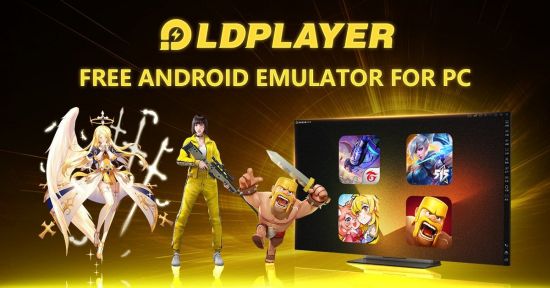
LDPlayer is a free Android emulator for PC users playing Android games easily on Windows. Based on Android 5 and 7, it supports a wide range of compatibility in running high-performance, high-graphic mobile games on PC.
-
BlueStacks 5.9.350.1035 Multilingual Freeware
File size: 0.5/1.6 GB
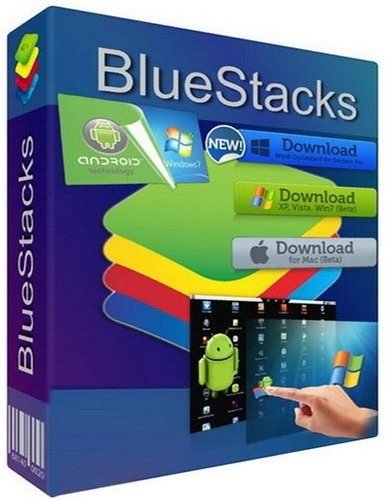
BlueStacks is an easy to use and powerful App Player which is designed to run Android OS and apps on Windows PCs with instant switch between Android and Windows. No reboot is required. End consumers can now enjoy their favorite Android apps on Windows PCs. Android apps can appear either as icons on the Windows desktop, or within a full-blown Android environment. BlueStacks helps PC manufacturers to ride the Android momentum by enabling Android apps on x86-based tablets, netbooks, notebooks, convertibles and AiO Windows PCs.
-

File Size: 564.4 MB
MEmu is an Android emulator that specializes in video games. With MEmu you can enjoy many exclusive titles that you can find for the Android platform, directly on your computer. You don't need to adjust any complicated settings and configure the controls, just install it and start playing. With MEmu, you can install Android games quite easily, simply click the APK button on the right side of the interface, select the APK of the game you want to install, and wait. It really is that easy.
-
NoxPlayer 7.0.3.9 Multilingual Freeware
File size: 569 MB
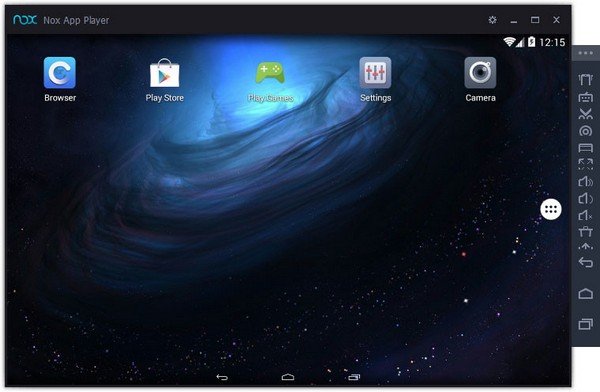
NoxPlayer is the best free Android emulator leading in technology and performance. It brings the best experience for users to play Android games and apps on Windows. NoxPlayer is stable, efficient and powerful. It ensures the fast response – bigger screen, easier operation. This app has some useful settings, including options to change your screen resolutions and other. You can root and access blocked features on your android using iRoot for PC.
-
LDPlayer 9.0.27 Multilingual Freeware
File size: 601 MB
LDPlayer is a free Android emulator for PC users playing Android games easily on Windows. Based on Android 5 and 7, it supports a wide range of compatibility in running high-performance, high-graphic mobile games on PC.
-
NoxPlayer 7.0.3.8 Multilingual Freeware
File size: 569 MB
NoxPlayer is the best free Android emulator leading in technology and performance. It brings the best experience for users to play Android games and apps on Windows. NoxPlayer is stable, efficient and powerful. It ensures the fast response – bigger screen, easier operation. This app has some useful settings, including options to change your screen resolutions and other. You can root and access blocked features on your android using iRoot for PC.
-
File Size: 564.4 MB
MEmu is an Android emulator that specializes in video games. With MEmu you can enjoy many exclusive titles that you can find for the Android platform, directly on your computer. You don't need to adjust any complicated settings and configure the controls, just install it and start playing. With MEmu, you can install Android games quite easily, simply click the APK button on the right side of the interface, select the APK of the game you want to install, and wait. It really is that easy.
-
File size: 564 MB
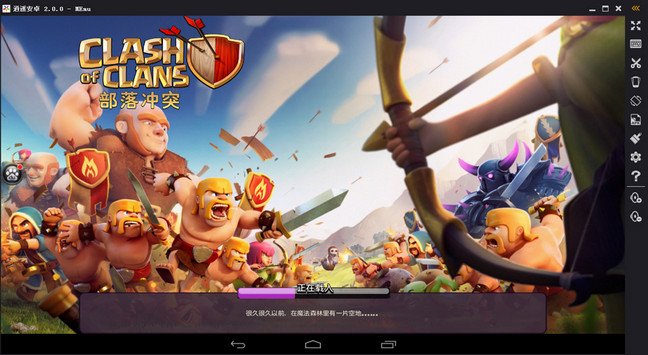
MEmu is an Android emulator that specializes in video games. With MEmu you can enjoy many exclusive titles that you can find for the Android platform, directly on your computer. You don't need to adjust any complicated settings and configure the controls, just install it and start playing. With MEmu, you can install Android games quite easily, simply click the APK button on the right side of the interface, select the APK of the game you want to install, and wait. It really is that easy.
-

File Size: 1.45 GB
Description
Horizon VMware , the leading software Name and efficient in application virtualization and desktop you. This software is able to create conditions for connection and desktop virtualization, all software applications and online services through a software environment you provide. The software is able to Desktop static (static desktops) to a safe environment and digitally convert user requirements. Software before you powerful product groups and, of course, VMware is well known that whatever product you will need to virtualization included. -
VirtualBox v7.0.2 Extension Pack Freeware
File size: 17.66 MiB | Languages: English, Deutsch, ...
VirtualBox Extension Pack gives VirtualBox additional support for USB devices, remote desktop, host webcam passthrough, network boot, disk image encryption, cloud integration features, ...
Install the VirtualBox Extension Pack after the VirtualBox main program.
-
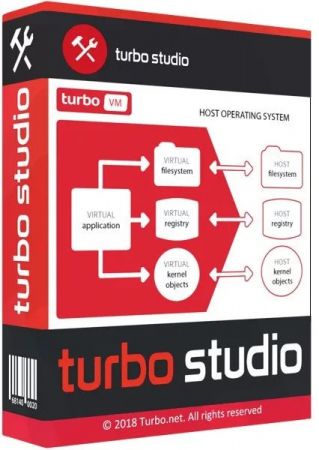
File size: 85.8 MB
Turbo Studio (formerly known as Spoon Studio) - with this app you can combine files needed to make an app run into a package that is ready for use without deployment. The application allows you to create a virtual container and run programs in a virtual environment without the installation and make changes in registry and system.
-
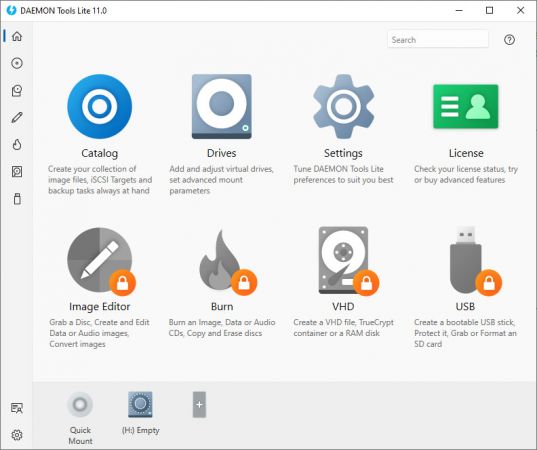
File size: 47 MB
DAEMON Tools Lite offers easy tools for making simple disc image files and emulating virtual CD, DVD and Blu-ray drives. It is an advanced application for Microsoft Windows which provides one of the best optical media emulation in the industry. DAEMON Tools enables you to convert your physical CD/DVD/Blu-ray discs into “virtual discs” so called “images”. You can use your CD/DVD/BD images as if they were already burned to CD/DVD/Blu-Ray. It also emulated up to 4 virtual CD/DVD/BD drives, so you can mount (insert) and unmount (eject) images. Virtual drives will appear in your OS just like real ones. Select a virtual drive then choose a disc image you want to mount. Find the created virtual drive with mounted disc image in My Computer and start working.
-
BlueStacks 5.9.300.1014 Multilingual Freeware
File size: 0.5/1.6 GB
BlueStacks is an easy to use and powerful App Player which is designed to run Android OS and apps on Windows PCs with instant switch between Android and Windows. No reboot is required. End consumers can now enjoy their favorite Android apps on Windows PCs. Android apps can appear either as icons on the Windows desktop, or within a full-blown Android environment. BlueStacks helps PC manufacturers to ride the Android momentum by enabling Android apps on x86-based tablets, netbooks, notebooks, convertibles and AiO Windows PCs.
-
File size: 106 MB
VirtualBox is a general-purpose full virtualizer for hardware. Targeted at server, desktop and embedded use, it is now the only professional quality virtualization solution that is also Open Source Software. VirtualBox is a powerful virtualization product for enterprise as well as home use. VirtualBox provides are useful for several scenarios: Running multiple operating systems simultaneously. VirtualBox allows you to run more than one operating system at a time. This way, you can run software written for one operating system on another (for example, Windows software on Linux or a Mac) without having to reboot to use it.
-
VirtualBox v7.0.0 Extension Pack Freeware
File size: 17.63 MiB | Languages: English, Deutsch, ...
VirtualBox Extension Pack gives VirtualBox additional support for USB devices, remote desktop, host webcam passthrough, network boot, disk image encryption, cloud integration features, ...
Install the VirtualBox Extension Pack after the VirtualBox main program.