Transmit 5.1.2 macOS
This post was published 8 years ago. Download links are most likely obsolete. If that's the case, try asking the uploader to re-upload.
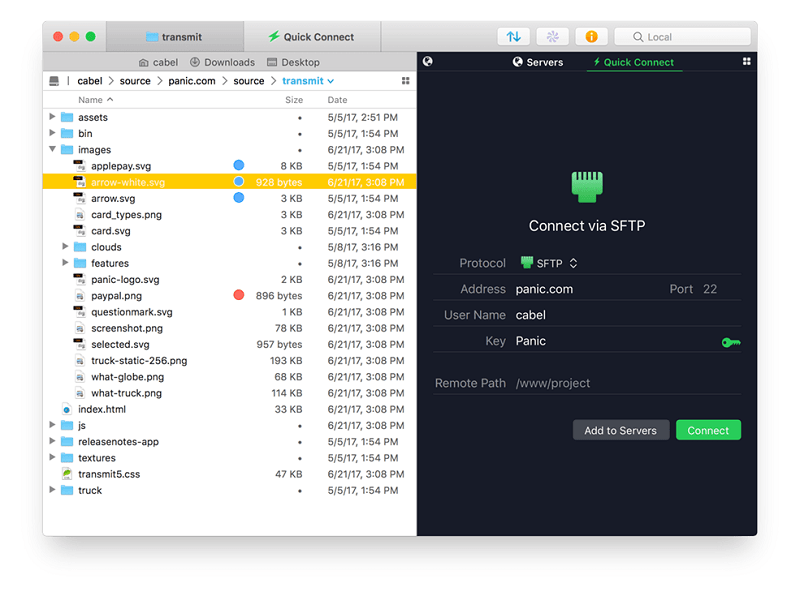
Compatibility: OS X 10.11 or later 64-bit | File size: 71 MB
You need to transfer files. Maybe to an FTP or SFTP server, or the cloud via Amazon S3, or using WebDAV. You maintain a website, do backups, or upload photos. You need Transmit, the #1 Mac OS X FTP client.
INCREDIBLE FEATURES.
- Protocol power: FTP (Normal, Implicit SSL, and TLS/SSL), SFTP, Amazon S3, and WebDAV (HTTP and HTTPS)
- Flexible Favorites for fast server access
- Handy two-pane view
- Fast multiple-connection transfers
- Easy transfer manager
- Synchronization
- Quick Look, CoverFlow, Image Thumbnail view
- Places for one-click folder access
- FXP Support
- Bandwidth Limiting
- So much more!
AMAZING SPEED.
Scary, wicked fast compared to Transmit 3 - up to 25 times.
4x faster: listing 30,000 remote files.
18x faster: downloading 30,000 small files.
2.25x faster: deleting 30,000 small files.
25x faster: uploading 15,000 small files.
AND ONE MORE THING: TRANSMIT DISK.
With the brand-new Transmit Disk feature, you can now mount any of your favorites in the Finder itself - even if Transmit's not running. These volumes are real: drag files to your SFTP server, save a small graphic to your Amazon S3 bucket directly from Photoshop, or roll your own iDisk-like backup volume. It's all possible in T4.
Whats New
New
Added badges to password and key passphrase prompt dialogs for additional clarity
Improved
Better visual indication that OAuth logins are proceeding (EG: OneDrive for Business)
Improved error reporting when attempting to download OneNote notebook from OneDrive
Minor improvements to the French localization
Now use Amazon S3 V2 file listings
Fixed
Worked-around a macOS 10.13 issue that could cause Wi-Fi to unexpectedly slow down in some cases
Activity queue icons are no longer missing badges indicating the operation type
Importing Transmit 5 servers with custom icons no longer causes a crash
Fixed a potential crash when pressing view options while connecting
Fixed an issue that could cause downloading nonexistent files to stall for some FTP servers using TLS
If timed correctly, switching to a local file browser while connecting to a remote server could cause Transmit to hang
The Download Automator action now populates the interface as expected when selecting a saved Server
Conflict resolution dialogs now animate properly according to direction of transfer
Other minor fixes
Homepage
Quick check before we show the links
Helps us keep automated scrapers from hammering the filehosts.