Monosnap 3.4.10 macOS
This post was published 8 years ago. Download links are most likely obsolete. If that's the case, try asking the uploader to re-upload.
Compatibility: OS X 10.11 or later 64-bit | File size: 17 MB
Monosnap - screenshot editor
Capture screenshots, share files, record video and .gifs!
KEY FEATURES
Capture:
• Capture full screen, just part of the screen, or a selected window
• Make your crop area pixel perfect with our 8x magnifier
• Customize hotkeys
• Make delayed screenshots
• Record screencasts
• Highlight details during recording a video
Annotate and Edit:
• Highlight important details with pen, text, arrows, and shapes
• Blur private information
• Open snapshots in your favorite external editor
Save and share:
• Log in to get free cloud storage space
• Connect Monosnap to Evernote, Dropbox, CloudApp, Yandex.Disk, Box.com and Google Drive
• FTP, sFTP, WebDAV, Amazon S3 & iCloud support
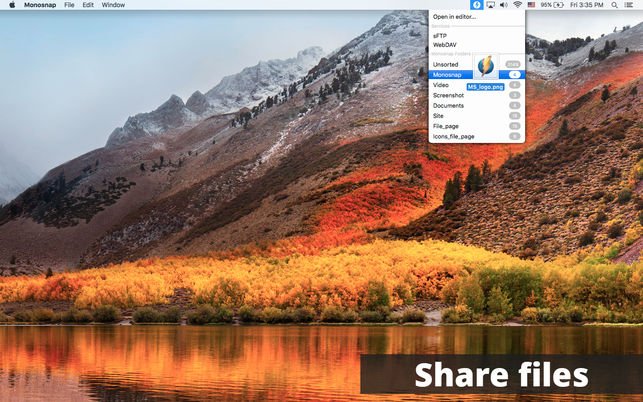
• Upload files and images by dropping them to the status bar icon
• Drag & Drop files directly from the editor
• Share your screenshots or videos in one click
• Upload your videos to YouTube or Monosnap
Version History
— New AWS S3 export/import format. (Note: It doesn’t work for transition from 3.4.10 to 3.4.9)
— Added ability to open the last screenshot after restarting the app
— Added ‘Capture Previous Area’ to the status bar menu
— Added new hotkey ‘Capture & add previous area’. Option allows adding the previous area to the image editor
— Added autosave settings for recording window
— Changed minimum available size for all draw instruments
— Minor changes in AWS S3 account window
— Fixed registration from the app
— Fixed ‘Text’ tool for image editor
— Other minor bug fixes and performance improvements
Homepage
Quick check before we show the links
Helps us keep automated scrapers from hammering the filehosts.