SharpResize 2.0.2 macOS
This post was published 8 years ago. Download links are most likely obsolete. If that's the case, try asking the uploader to re-upload.
Compatibility: OS X 10.8 or later 64-bit | File size: 7 MB
Prepare better thumbnail images for your website or blog, resized uniformly and with a polished look. SharpResize is lightweight, has convenient controls and shortcuts and produces a more polished result.
- Many ways to grab your image - from clipboard, drag to dock icon, application or alias, drag into SharpResize's image well or open with a file dialog
- More polished result because it uses Lanczos resampling rather than the more usual Bicubic
- Further sharpening can be applied using a luminance sharpening filter which enhances the contrast between pixels without affecting the colour information
- Simple controls for output size / quality
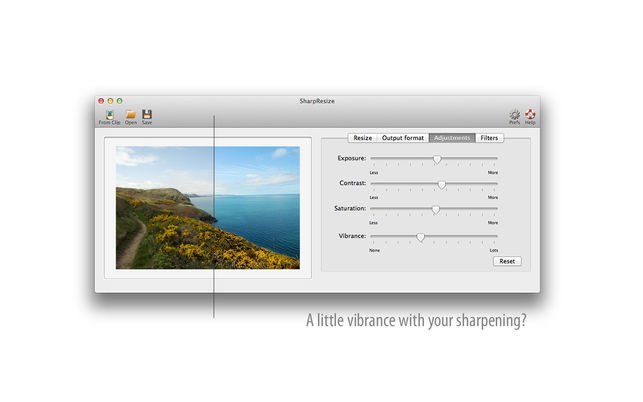
- Adjustment controls for exposure, contrast, saturation, vibrance
- retina-sharp 2x and 3x versions without extra clicks, plus additional custom formats
- Batch processing
- Lightweight and fast-loading
What's New
More options for resizing
- crop or add (with choice of colour) if aspect ratio is changing
More options for adjusting
- exposure / contrast / saturation / vibrance
Adds some filters for more dramatic changes
- b/w / sepia / posterize / kodachrome
Adds options for output file
- jpg / png / tiff
Adds batch functionality
- drop or open multiple files to apply the same resizing and adjustments to all
Better configuration of additional sizes. (each image you work on can be saved in multiple sizes) Comes with @2x and @3x configured but you can add other sizes / formats
Plus other improvements
Homepage
Quick check before we show the links
Helps us keep automated scrapers from hammering the filehosts.