Downie 3.0.2 Multilingual MacOSX
This post was published 8 years ago. Download links are most likely obsolete. If that's the case, try asking the uploader to re-upload.
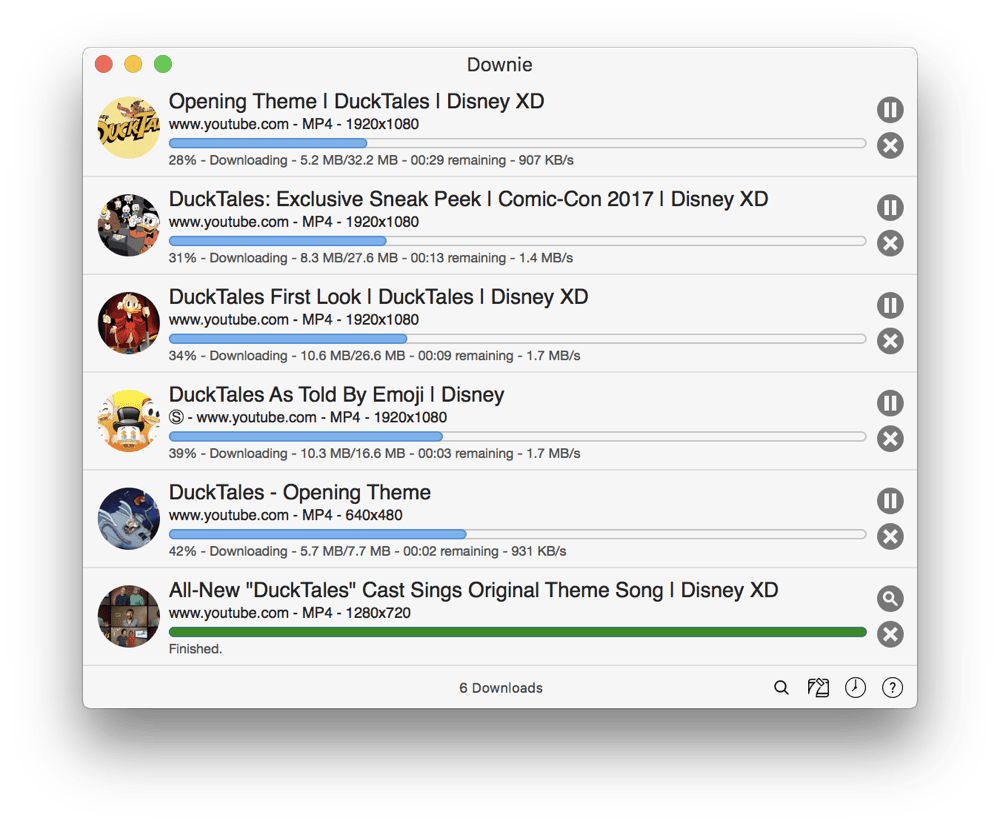
File size: 28.5 MB | Compatibility: macOS 10.11 or later
Downie may seem like a simple drag-and-drop app - and it is and isn't at the same time! It is designed to be simple to use - just drag and drop a link onto Downie and it will download the video on that site. It isn't simply another YouTube-downloader: Downie supports at this moment over 160 different sites! The full list may be viewed in Downie's preferences, under the Sites tab.
Key features
• Supports many sites - currently supports over 160 different sites (including YouTube, Vimeo, etc.) and the number is rapidly growing.
• Postprocessing - need your video in MP4 for iTunes? Or want just the audio track? No problem, Downie can handle this for you automatically!
• Quick support - I respond to emails usually within 24 hours and often add support for requested sites in the next update.
• Fast updates - Downie is updated about once a week with new features, sites supported, etc.
Here's a few tips for using Downie
• To start, you can drag a link from any browser either on Downie's window, or the icon in the Dock.
• If you have more links, or links within some text, just drop the whole thing onto Downie - it will scan the text for links.
• You can use copy and paste as well - just press Command-O in Downie and you can insert all the links in the world!
Whats new
-New: investigationdiscovery.com, sciencechannel.com, tuto.com, viasat3.hu.
-Improved: discovery.com, jibjab.com, kijk.nl, mixcloud.com, qq.com, theplatform.com, vimeopro.com.
-Improved: User-Guided Extraction.
-Various bug fixes.
Homepage
Quick check before we show the links
Helps us keep automated scrapers from hammering the filehosts.