Unity Asset - Easy Mesh Combiner MT v2.6.4
This post was published 5 years ago. Download links are most likely obsolete. If that's the case, try asking the uploader to re-upload.
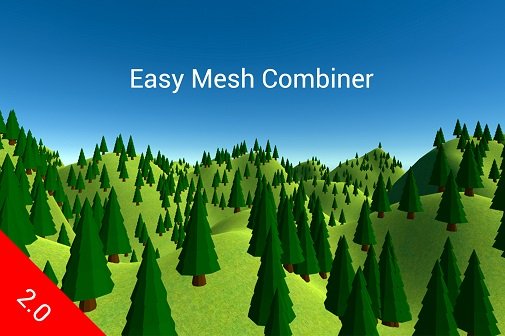
Requirement: Unity 2019.3.0 or higher | File size: 34.4 MB
Easy Mesh Combiner is a tool that merges all meshes that share the same material in a mesh, greatly reducing Draw Calls, so you can extract great performance from your game.
Easy Mesh Combiner is EASY to use. All you have to do is to select the GameObjects that contain the meshes that you want to combine, then right click on the selected one and click on "Combine Meshes", then just combine! You can count on an intuitive interface to do this. You can watch the demo video to better understand the whole process. Use it to combine the meshes of your environment quickly, through the Editor. After merging the meshes, colliders, and other important components that make up your environment remain. If you need to undo the merge to edit the environment, no problem! Just undo the merge effortlessly! Relax! You can also create prefabs easily after merge!
Features
● Provides mesh merge feature at Runtime and Editor. You can also undo merges made in both.
● When you undo the merge, the original meshes return to their original state.
● Very easy to use. It has a simple and intuitive interface.
● Does not modify original Meshes, Textures, Materials or UVs.
● Very low mesh processing times.
● Completely compatible with HDRP, LWRP, URP and Built In RP.
● Supports meshes combined with more than 64,000 vertices.
● Reduces Draw Calls by up to 95%.
● It has a non-destructive workflow. After merge, colliders and other components remain active. If you prefer, you can choose to disable them.
● You will not even notice the visual difference after the merge.
● Supports all Materials, Shaders (all kinds), UVs and Meshes.
● Supports meshes with various materials.
● You can save the merged meshes in your project files.
● Create prefabs easily!
● You easily select the objects you want to merge or not. No need to change the structure of GameObjects.
● Increases real time shadows performance.
● Reduces memory consumption caused by Static Batching and CPU usage by Dynamic Batching.
● Enhances Lightmaps, Navigation Meshes, Light Probes generation.
● Everything is done within the Unity Editor, without the need for third party software.
● Great documentation.
● It's easy to manage your merged meshes after merge, both in the Editor and at Runtime.
● When you undo the merge (made in Editor), no longer used merge files are deleted.
● Combines only Mesh Filters + Mesh Renderers. Skinned Meshes will be ignored but will not be removed or deleted.
What's New
- Fixed some minor bugs and minor code changes.
- The option to Optimize the mesh resulting from the merge has been added to the combined mesh manager.
- An option to optimize the mesh was added to the Runtime Mesh Combiner component.
- Now the management buttons of the combined mesh through the Editor, send messages for each action performed.
- A button for quickly adding the Mesh Collider component, has been added to the combined mesh manager.
- The documentation has been updated to contain minor changes and additions made in this version.
Homepage
Visit my Blog for Unity Assets, GFX Plugins & More!!!
Download without any wait from DDownload link below
Quick check before we show the links
Helps us keep automated scrapers from hammering the filehosts.