Windows PowerShell in Action, Third Edition
This post was published 8 years ago. Download links are most likely obsolete. If that's the case, try asking the uploader to re-upload.
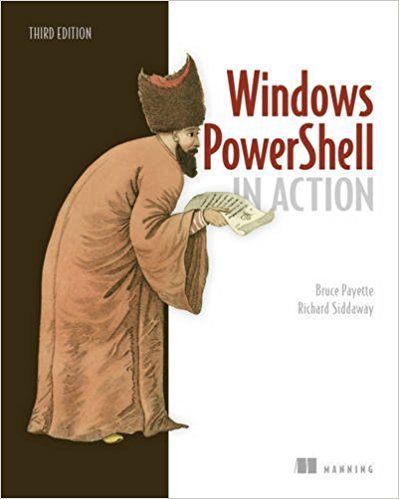
938 pages | Sep 2017 | English | ISBN-10: 1633430294 | PDF | 10 MB
Windows PowerShell in Action, Third Edition is the definitive guide to PowerShell, now revised to cover PowerShell 6.
About the Technology
In 2006, Windows PowerShell reinvented the way administrators and developers interact with Windows. Today, PowerShell is required knowledge for Windows admins and devs. This powerful, dynamic language provides command-line control of the Windows OS and most Windows servers, such as Exchange and SCCM. And because it's a first-class .NET language, you can build amazing shell scripts and tools without reaching for VB or C#.
About the Book
Windows PowerShell in Action, Third Edition is the definitive guide to PowerShell, now revised to cover PowerShell 6. Written by language designer Bruce Payette and MVP Richard Siddaway, this rich book offers a crystal-clear introduction to the language along with its essential everyday use cases. Beyond the basics, you'll find detailed examples on deep topics like performance, module architecture, and parallel execution.
What's Inside
The best end-to-end coverage of PowerShell available
Updated with coverage of PowerShell v6
PowerShell workflows
PowerShell classes
Writing modules and scripts
Desired State Configuration
Programming APIs and pipelines
About the Reader
Written for intermediate-level developers and administrators.
About the Authors
Bruce Payette is codesigner and principal author of the Power-Shell language. Richard Siddaway is a longtime PowerShell MVP, author, speaker, and blogger.
Table of Contents
Welcome to PowerShell
Working with types
Operators and expressions
Advanced operators and variables
Flow control in scripts
PowerShell functions
Advanced functions and scripts
Using and authoring modules
Module manifests and metadata
Metaprogramming with scriptblocks and dynamic code
PowerShell remoting
PowerShell workflows
PowerShell Jobs
Errors and exceptions
Debugging
Working with providers, files, and CIM
Working with .NET and events
Desired State Configuration
Classes in PowerShell
The PowerShell and runspace APIs
Appendix - PowerShell 6.0 for Windows, Linux, and MacOS
Quick check before we show the links
Helps us keep automated scrapers from hammering the filehosts.